

SR Cards Testimonial Grid 01
This module renders a heading, optional description text, and a grid of up to five testimonial cards, each with an icon or small svg above a quote, an author photo, name, and title.
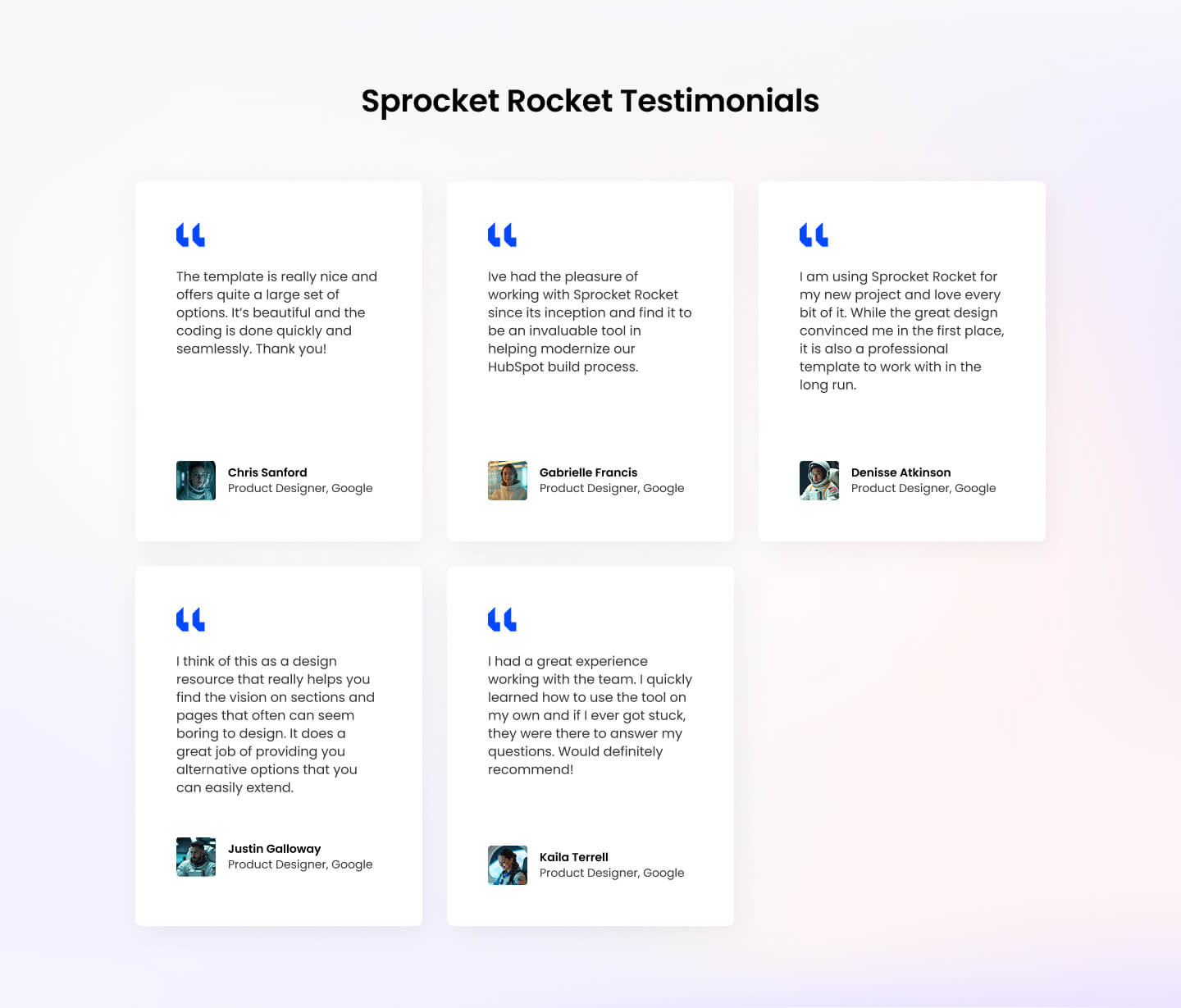
Pick this over Testimonial Grid 02 when you want an icon-topped card style and need room for up to five quotes rather than a fixed set of three with a CTA button. Cards flow into equal-width columns based on the column size setting, so keep quote and author text lengths roughly similar for a clean grid.
Use cases
- Five-star customer quotes grid
- Icon-topped testimonial cards
- Case study quote wall
- Client feedback section
- Review highlights with author photos
Where it fits
- Included with: Core
- Page sections: Testimonials, Proof, Content
Editable fields
Content tab
| Field | Type | Notes |
|---|---|---|
| Background Video | File | Repeats: min 0, default 1. Add multiple file formats in order to provide compatibility with a broad range of browsers. |
| Background Video Tablet | File | Repeats: min 0, default 1. This background video will only be used on tablet devices. |
| Background Video Mobile | File | Repeats: min 0, default 1. This background video will only be used on mobile devices. |
| Enabled | Boolean | |
| ID | Text | Assign a ID to the module. |
| Class | Text | Assign a CLASS to the module. |
| Description | Rich text | |
| Lead Text | Boolean | Turn on to make the Description text larger. |
| Column Vertical Align | Choice | Options: Auto, Top, Center, Bottom, Stretch. |
Heading Repeats: min 0, default 1.
| Field | Type | Notes |
|---|---|---|
| Heading | Text | |
| Size | Choice | HTML heading size. Options: H1, H2, H3, H4, H5, H6, P. |
| Display Size | Choice | Size that heading is displayed at. 12 options, including Auto, H1, H2. |
| Color | Choice | 15 options, including Auto, Primary, Secondary. |
| Color | Color | |
| Align | Choice | Options: Auto, Left, Center, Right. |
| CSS Class | Text |
Cards Repeats: default 5.
| Field | Type | Notes |
|---|---|---|
| Quote | Rich text | |
| Author Image | Image | Recommended size: 100x100px. |
| Author Name | Text | |
| Author Title | Text |
Cards › Icon
| Field | Type | Notes |
|---|---|---|
| Icon Type | Choice | Options: Icon, SVG, None. |
| Icon | Icon | |
| SVG | Text | |
| Color | Color | |
| Purpose | Choice | The purpose of the icon, used for accessibility. If set to decorative, an additional attribute of aria-hidden="true" will be added to the icon. Options: Decorative, Semantic. |
Column Size Repeats: min 1, max 4, default 1. Columns follow a twelve column grid.
| Field | Type | Notes |
|---|---|---|
| Column Breakpoint | Choice | Options: None, Mobile, Tablet, Desktop, XL. |
| Column Width | Choice | 12 options, including 1, 2, 3. |
| Column Offset | Choice | 13 options, including 0, 1, 2. |
| Column Order | Number |
Style tab
Change log
| Version | Change |
|---|---|
| 4.1.0 | Added column editing fields |
| 4.0.0 | Stardust update |
| 3.2.1 | Added SVG color fill |
| 3.2.0 | Accessibility improvements |
| 3.1.0 | Added responsive background options |
| 3.1.0 | Added card style fields |
SR Cards Team 04
Renders a heading, optional intro text, and up to 8 team member cards in a horizontal carousel, each card showing a photo, name, and role with an optional link.
SR Cards Testimonial Grid 02
This module renders an optional heading and description above a grid of three testimonial cards, each showing a team photo, quote text, name, title, and an optional CTA button below the grid.