

SR Cards Filter 01
This module renders a heading, optional rich text description, up to two tag-based filter dropdowns, and a filterable grid of up to 8 cards, each with a logo, a hover logo swap, title, link, tags, and optional description text.
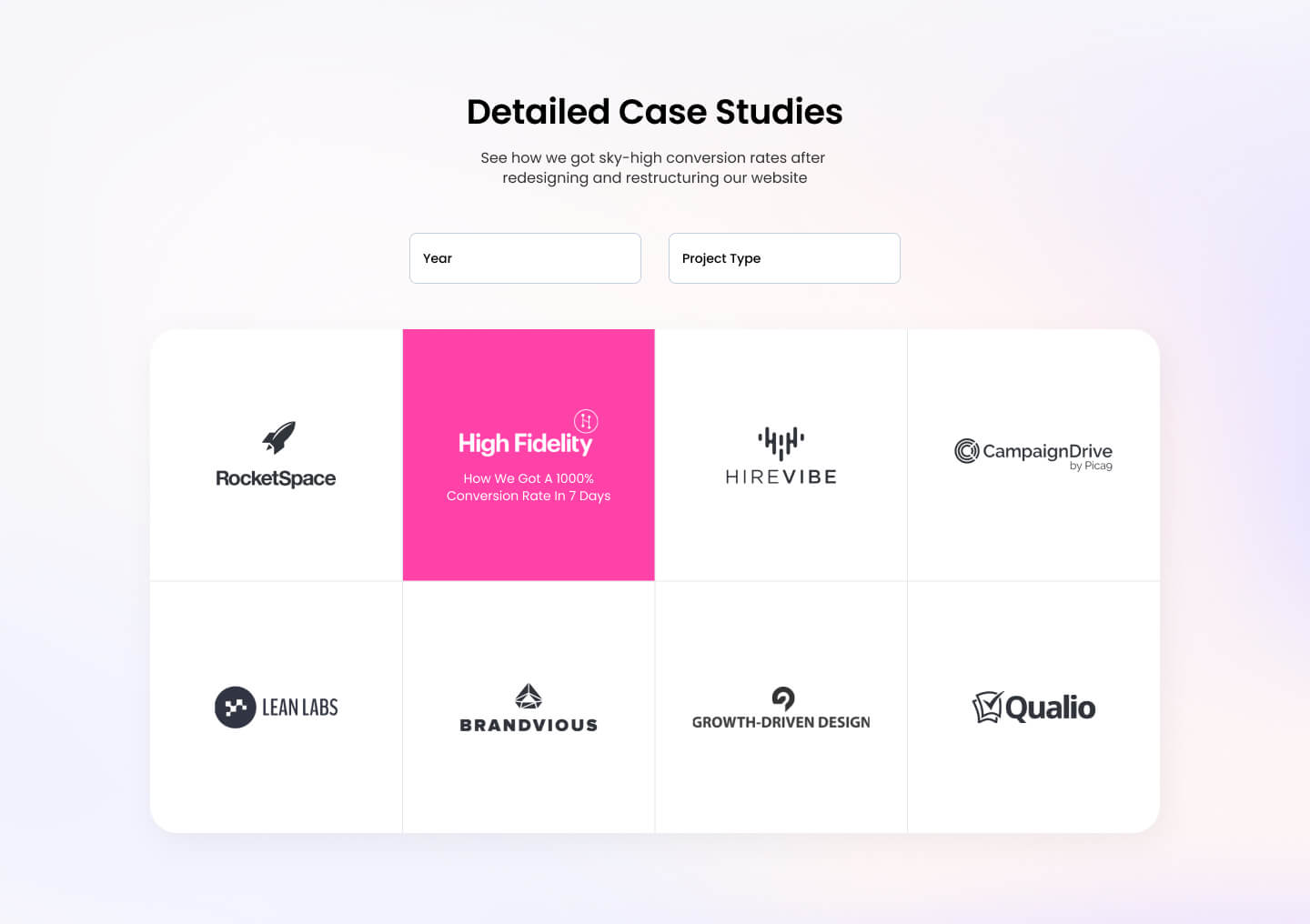
Choose this over SR Cards Filter 02 when you need per-card color theming (background, text, brand, and hover colors) and a logo-hover swap effect rather than an image-led tile design. It works best for logo-driven resource or case study libraries where cards need distinct color branding and dropdown filtering by category or year.
Use cases
- Case study library with logos
- Partner resource grid with filters
- Client showcase with hover branding
- Tagged content library by year
- Integration directory with logo swap
- Filterable case study grid
Where it fits
- Included with: Core
- Page sections: Resources, Gallery, Proof
Editable fields
Content tab
| Field | Type | Notes |
|---|---|---|
| Background Video | File | Repeats: min 0, default 1. Add multiple file formats in order to provide compatibility with a broad range of browsers. |
| Background Video Tablet | File | Repeats: min 0, default 1. This background video will only be used on tablet devices. |
| Background Video Mobile | File | Repeats: min 0, default 1. This background video will only be used on mobile devices. |
| Enabled | Boolean | |
| ID | Text | Assign a ID to the module. |
| Class | Text | Assign a CLASS to the module. |
| Description | Rich text | |
| Lead Text | Boolean | Turn on to make the Description text larger. |
| Show Card Description | Boolean | |
| Show Load More Button | Boolean | |
| Number of Card to Show | Number | |
| Button Style | Choice | 26 options, including Primary, Secondary, Tertiary. |
| Button Text | Text |
Heading Repeats: min 0, default 1.
| Field | Type | Notes |
|---|---|---|
| Heading | Text | |
| Size | Choice | HTML heading size. Options: H1, H2, H3, H4, H5, H6, P. |
| Display Size | Choice | Size that heading is displayed at. 12 options, including Auto, H1, H2. |
| Color | Choice | 15 options, including Auto, Primary, Secondary. |
| Color | Color | |
| Align | Choice | Options: Auto, Left, Center, Right. |
| CSS Class | Text |
Filters Repeats: min 0, default 2.
| Field | Type | Notes |
|---|---|---|
| Title | Text | |
| Tags | Text | Repeats: default 3. |
Cards Repeats: min 1, default 8.
| Field | Type | Notes |
|---|---|---|
| Logo | Image | |
| Logo on Hover | Image | |
| Text | Text | |
| Link | Link | |
| Tags | Text | Repeats: min 0, default 2. |
| Background Color | Color | |
| Text Color | Color | |
| Hover Background Color | Color | |
| Hover Text Color | Color |
Column Size Repeats: min 4, max 4, default 4. Columns follow a twelve column grid.
| Field | Type | Notes |
|---|---|---|
| Column Breakpoint | Choice | Options: None, Tablet, Desktop, XL. |
| Column Width | Choice | 12 options, including 1, 2, 3. |
Style tab
Change log
| Version | Change |
|---|---|
| 5.1.0 | Removed isotope.js dependency |
| 5.0.0 | Stardust update |
| 4.2.1 | Functionality for URL update based on filter selection |
| 4.2.0 | Accessibility improvements |
| 4.1.1 | Added none column breakpoint for smaller screens |
| 4.1.0 | Added responsive background options |
| 4.0.3 | Added new Link options |
| 4.0.2 | Added Regex replace filter to filter out special characters in the classes to prevent the module from breaking |
| 4.0.1 | Added IF statement to check if there's an instance of the filter to avoid JS from breaking |
| 4.0.0 | Remove jQuery dependency |
| 3.0.4 | Cards display logo fix |
| 3.0.3 | Filter tags bug fix |
| 3.0.2 | Fixed height on cards. Making the items form a masonry layout |
| 3.0.1 | Minor CSS Fix |
SR Cards Features 01
Renders a heading with optional intro copy above a grid of up to 12 cards, each with an image, header, rich text body, and optional CTA buttons in link, payment, or modal form.
SR Cards Filter 02
This module renders a heading, optional rich text description, a single tag filter bar, and a grid of up to 7 image and rich text cards, with an optional load more button that reveals additional cards beyond the initial count.