

SR Cards Slider 01
This module renders a fixed intro card with a heading and description next to a horizontal slider of up to six image cards, each with its own heading and rich text.
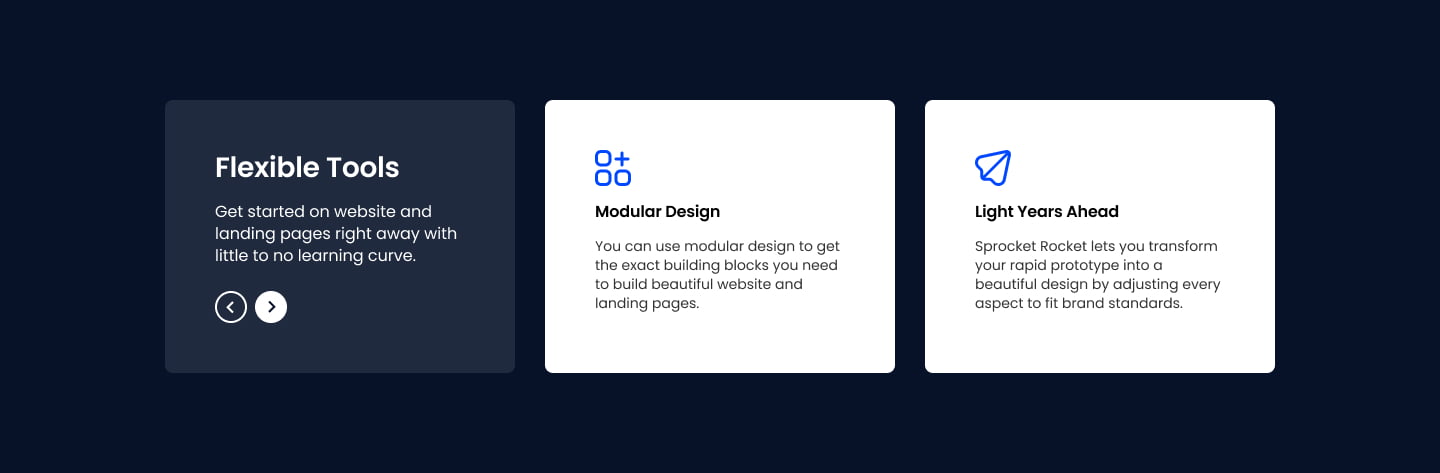
Pick it over the other card grids and filter modules when you want a static block of sidebar context that stays put while visitors scroll through a carousel of visuals, rather than a uniform grid, blog feed, or flip interaction. Each slide needs an image, and it works best with arrow navigation and autoplay turned on for a true carousel feel.
Use cases
- Scrolling product feature showcase
- Static intro with sliding visual examples
- Portfolio or gallery carousel with context panel
- Service highlights slider
- Use case gallery with fixed description
Where it fits
- Included with: Free
- Page sections: Features, Gallery, Content
Editable fields
Content tab
| Field | Type | Notes |
|---|---|---|
| Background Video | File | Repeats: min 0, default 1. Add multiple file formats in order to provide compatibility with a broad range of browsers. |
| Background Video Tablet | File | Repeats: min 0, default 1. This background video will only be used on tablet devices. |
| Background Video Mobile | File | Repeats: min 0, default 1. This background video will only be used on mobile devices. |
| Enabled | Boolean | |
| ID | Text | Assign a ID to the module. |
| Class | Text | Assign a CLASS to the module. |
| Description | Rich text | |
| Lead Text | Boolean | Turn on to make the Description text larger. |
| Arrows | Boolean | |
| Autoplay | Boolean | |
| Autoplay Speed | Number |
Heading Repeats: min 0, default 1.
| Field | Type | Notes |
|---|---|---|
| Heading | Text | |
| Size | Choice | HTML heading size. Options: H1, H2, H3, H4, H5, H6, P. |
| Display Size | Choice | Size that heading is displayed at. 12 options, including Auto, H1, H2. |
| Color | Choice | 15 options, including Auto, Primary, Secondary. |
| Color | Color | |
| Align | Choice | Options: Auto, Left, Center, Right. |
| CSS Class | Text |
Slides Repeats: default 6.
| Field | Type | Notes |
|---|---|---|
| Image | Image | |
| Content | Rich text |
Slides › Heading Repeats: min 0, default 1.
| Field | Type | Notes |
|---|---|---|
| Heading | Text | |
| Size | Choice | HTML heading size. Options: H1, H2, H3, H4, H5, H6, P. |
| Display Size | Choice | Size that heading is displayed at. 12 options, including Auto, H1, H2. |
| Color | Choice | 15 options, including Auto, Primary, Secondary. |
| Color | Color | |
| Align | Choice | Options: Auto, Left, Center, Right. |
| CSS Class | Text |
Style tab
Change log
| Version | Change |
|---|---|
| 4.0.0 | Stardust update |
| 3.3.0 | Accessibility improvements |
| 3.2.0 | Added responsive background options |
| 3.1.1 | Included slider styles dependecies |
| 3.1.0 | Added slider styles |
| 3.0.0 | Remove jQuery. Added card and slide styles |
SR Cards Pricing 03
This module renders a shared heading and description above a two column layout, with a single pricing card on the left showing a plan name, price, short description, and one CTA button, next to a features box on the right listing up to six feature lines each with an icon or image and its own subheading.
SR Cards Steps 01
Renders an optional heading and description above a row of step cards, defaulting to three columns, each with a circular numbered badge, a sub-heading, rich text, and an optional CTA button.