

Sprocket Rocket AI
What Sprocket Rocket AI can do in Page Builder and Module Builder.
Sprocket Rocket AI works inside Page Builder and Module Builder. Ask for a change in the chat and Sprocket Rocket makes it on the page's HubSpot draft, or in the module's code, while you watch. You can keep editing by hand at the same time.
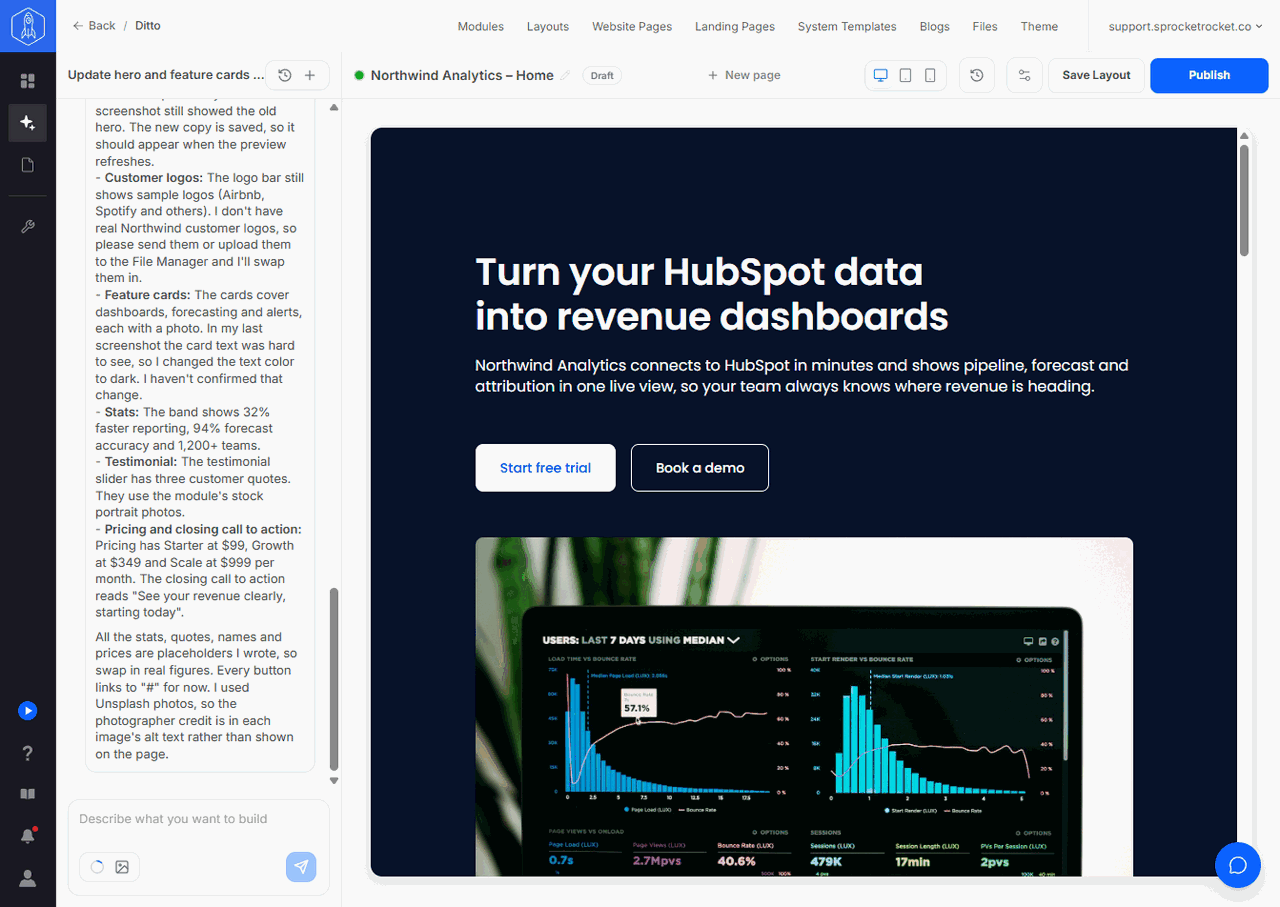
Where it works
- In Page Builder, select Sprocket Rocket AI in the rail to chat about the page on the canvas. See Work with Sprocket Rocket AI.
- In Module Builder, the chat sits beside the preview and code tabs. See Module Builder.
What it can do
- Build a page from Sprocket Rocket modules, your theme's modules, and the portal's own custom modules. It adds, removes, moves, and arranges them in sections and columns, and fills in their content. See Work with Sprocket Rocket AI.
- Rebuild or borrow from any public web page you link, and test the page in a real browser to check that tabs, sliders, hover effects, and video work.
- Change the page title, meta description, URL, domain, and social sharing image, and move a page between website pages and landing pages. See Page settings and SEO.
- Find images on Unsplash or in your File Manager, and write alt text after looking at each image. See Images and alt text.
- Create URL redirects, set up A/B tests, and add translations. See Domains and redirects, A/B tests, and Translations.
- Read and edit HubDB tables. See HubDB tables.
- Have a new module built, or an existing one changed, when no module can do what you asked. See Build and change modules.
- Propose a new brand for the theme. See Change the theme brand.
- Run PageSpeed Insights on a published page and fix what it finds.
Cards you confirm
Most of the AI's work happens on the page's draft, where a restore point can undo it. Some changes reach further: they go live across the site, change other pages, or build new code. Sprocket Rocket never makes those on its own. It shows a card in the chat, and nothing happens until you confirm it:
- URL redirects, confirmed with Create redirects
- A/B test, with Create variant
- Translation, with Create translation
- Publish HubDB table, with Publish table
- Module cards, with Build it, Make the copy, or Update module
- Theme brand change, with Review, then Apply to theme
Each card also has Discard, or Cancel for a module card that hasn't started. A card applies once: if someone applies it in another tab first, your tab says it was already decided. When a card leaves work for Sprocket Rocket, such as filling in a new module's fields, it picks it up by itself once the card is done. Each card's page explains its statuses and who can apply it.
The subscription
Sprocket Rocket AI is also the name of the organization's AI subscription. AI usage comes out of the organization's shared monthly AI budget. The Free plan includes a small one-time allowance for trying it. The subscription also lets you work on your portals from your own AI app, such as Claude or ChatGPT. See MCP. A Breeze agent in HubSpot can read your pages and edit drafts too. See HubSpot Breeze agents. See Pricing for what the subscription includes and Billing for how usage is shown.
What it can't do
- Write module code in Page Builder. Sprocket Rocket proposes a card instead, and once you confirm, it builds the module in Module Builder in the background. See Build and change modules.
- Edit head and footer HTML. Set those in Page settings yourself.
- Read or end an A/B test. HubSpot runs the test. You compare the results and choose the winner in HubSpot. See A/B tests.
Features that depend on the HubSpot plan
Some of Sprocket Rocket AI's tools use HubSpot features that only some HubSpot plans include. When the portal's plan doesn't include one, Sprocket Rocket says so instead of failing silently.
| Feature | What the portal needs |
|---|---|
| URL redirects | A HubSpot plan that includes URL redirects |
| A/B tests | A HubSpot plan that includes A/B testing |
| Translations | A HubSpot plan that allows multi-language pages |
| HubDB tables | A HubSpot plan that includes HubDB, and the HubDB permission on the portal's connection |
| Site search for internal links | Content Hub Professional |
Two more tools have a requirement that isn't the plan. PageSpeed Insights only tests a published page. File Manager search and uploads need the File Manager permission on the portal's connection. When a permission is missing, Sprocket Rocket shows a card that explains what to do. See Images and alt text and HubDB tables.