

Module management
Install, update, unlock, clone, and edit modules for an installation.
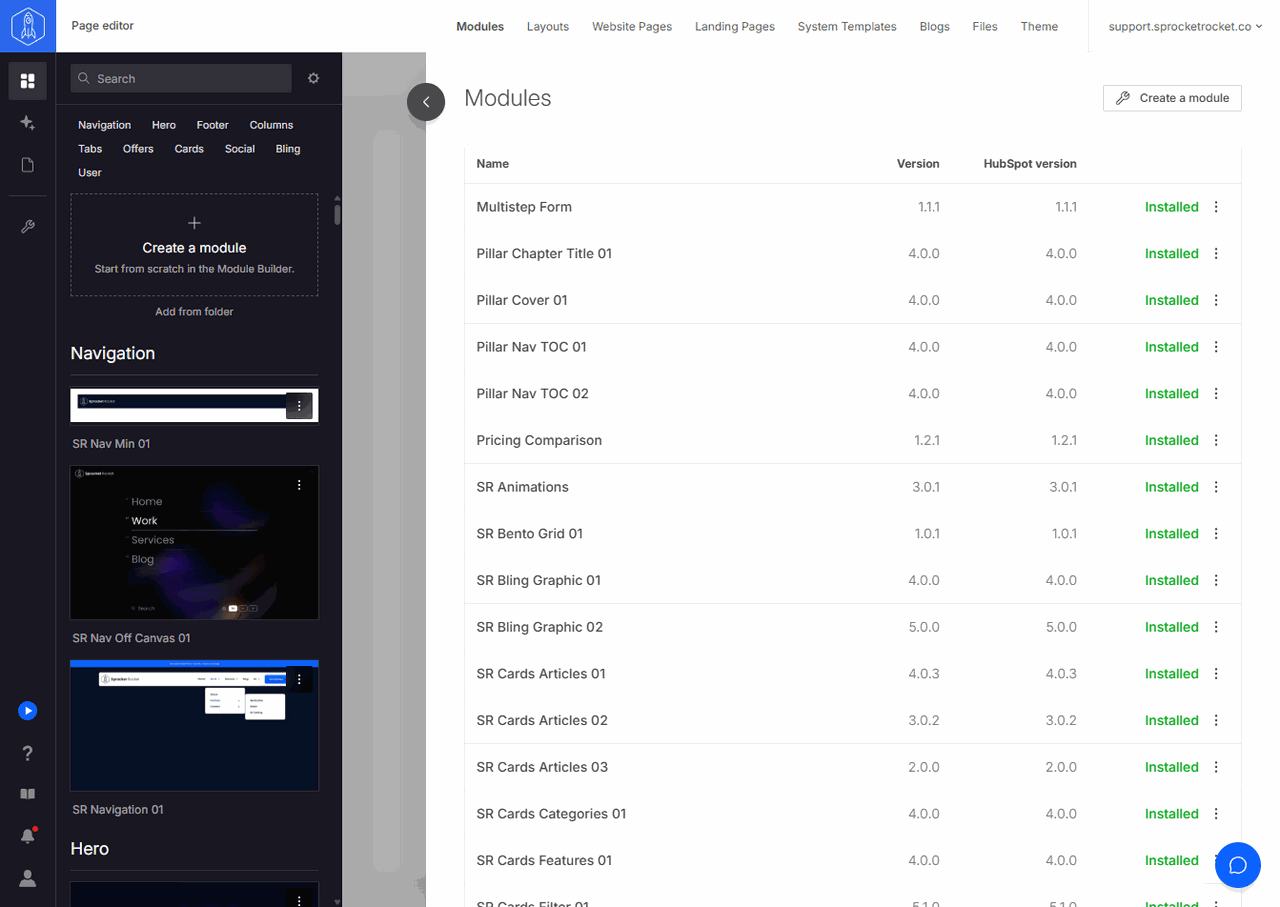
Open Modules in the installation's top navigation to see the modules available to the current installation. Version is the latest version available. HubSpot version is the version installed on the portal.
Each row shows what you can do next: Installed, Install, Upgrade or Major update when a newer version is available, or Unlock when the portal's license doesn't include the module. A row's menu has Clone and edit, which opens a copy of the module in Module Builder, plus Change log and View diff where they apply. Create a module at the top opens Module Builder to build a module the library doesn't have.
To hide locked modules, turn on Hide Unavailable Modules in the gear menu of the Add modules palette. The setting applies to this drawer too.
Use the module library to compare previews, plans, fields, and versions before choosing a module.