First steps
Prepare an installation before building a full HubSpot website.
After creating an installation, complete these steps:
- Install the modules required by the pages you plan to build.
- Install the website, landing page, blog, and system templates the site needs.
- Configure the theme settings.
- Set the global header and footer.
- Invite team members and check their portal access.
- Build a page or save a reusable layout.
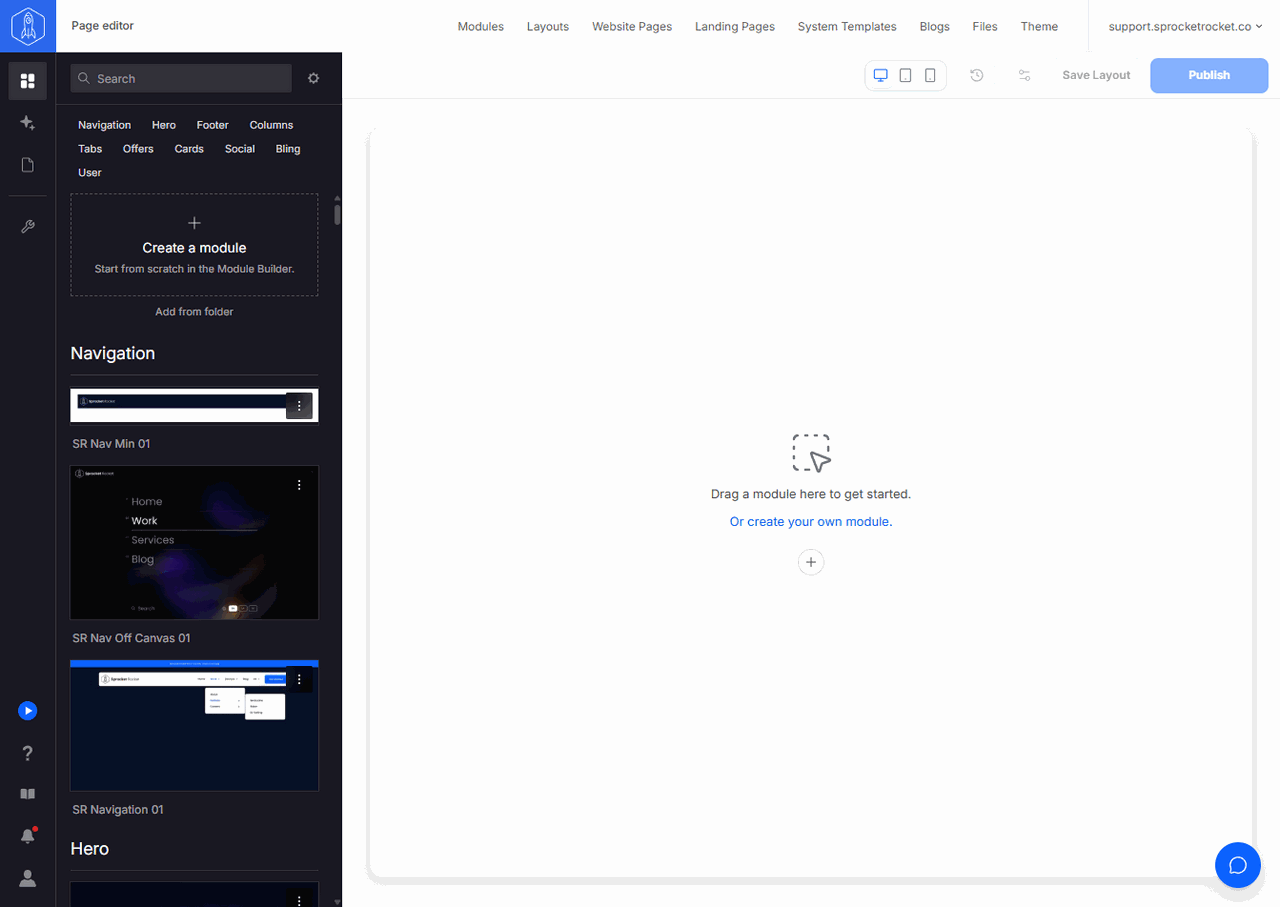
Use the top navigation to open Modules, Layouts, Website Pages, Landing Pages, System Templates, Blogs, Files, and Theme. The rail on the left of Page Builder opens Sprocket Rocket AI, Add modules, Pages, and Module Builder. See the rail for what each one does.
For page work, ask Sprocket Rocket AI in Page Builder. Tell it what you need: the page's purpose, audience, content, design, and behavior. When the page needs a module the library doesn't have, it can have one built. See Build and change modules. You review and confirm changes, follow progress, and answer questions in the same chat. Use Module Builder to edit a module's code directly or to work on a module on its own.
Manage modules
Install, update, unlock, clone, and sync modules.
Manage templates
Install the shared templates used by the site.
Page Builder
Assemble a page by hand or with Sprocket Rocket AI.
Module Builder
Create or edit a module's code, by hand or with Sprocket Rocket AI.