

Blogs
Preview your blog's post and listing templates, and change them with Sprocket Rocket AI or in code.
Blogs in the top bar lists your portal's HubSpot blogs. Open one to see its templates beside the chat, previewed with real content. Blog posts themselves are still written in HubSpot. To install Sprocket Rocket's blog template sets, see Blog templates.
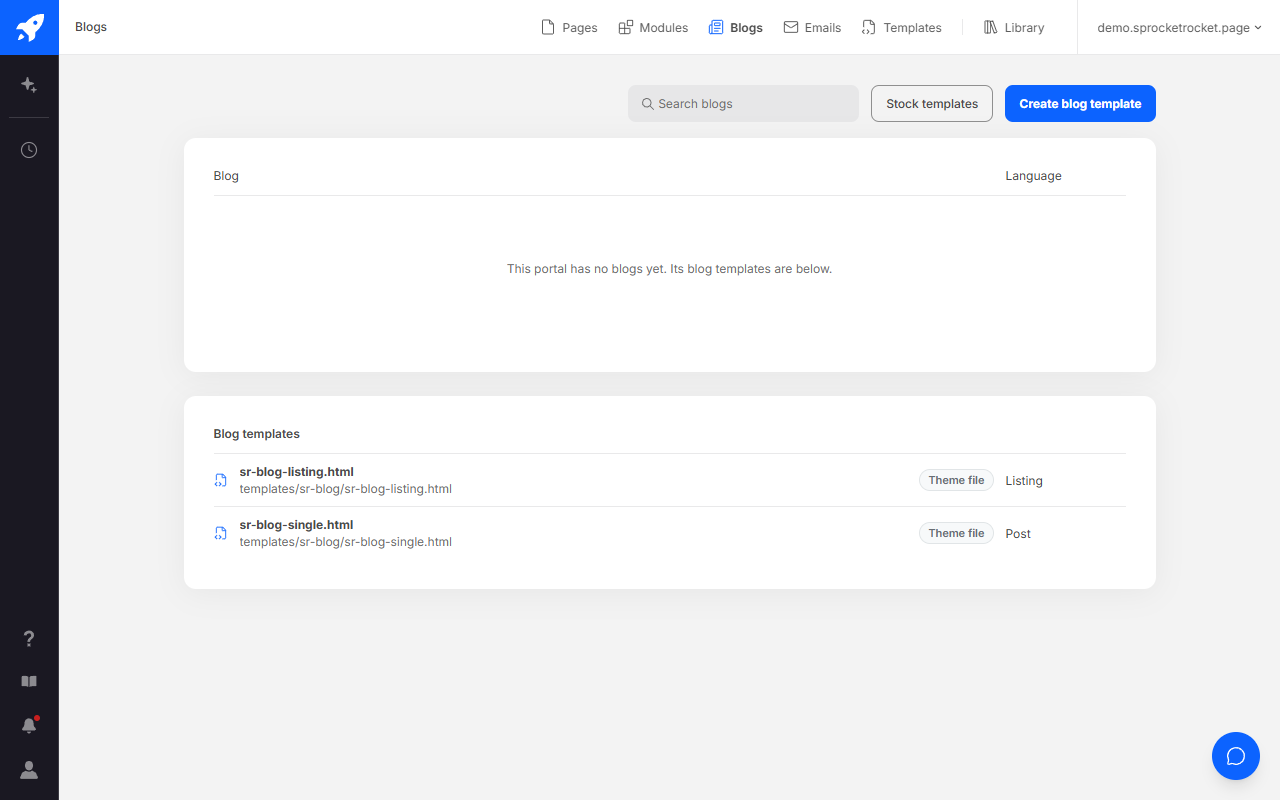
Stock templates opens Sprocket Rocket's blog template sets in the Library. If HubSpot drops the portal's connection, the list shows HubSpot needs reconnecting, with Reconnect for organization owners and admins.
Preview a blog
Choose the Post or Listing template, and Desktop or Phone.
- Post previews with your newest post. Any post shows how the template looks.
- Listing shows the live listing page. Unpublished changes show here once you publish, or in a preview without posts, since HubSpot leaves posts out of that preview.
View blog opens the live blog. The settings menu in the toolbar has Refresh, Edit in HubSpot, which opens HubSpot's blog settings, and Open preview in new tab.
Change a template
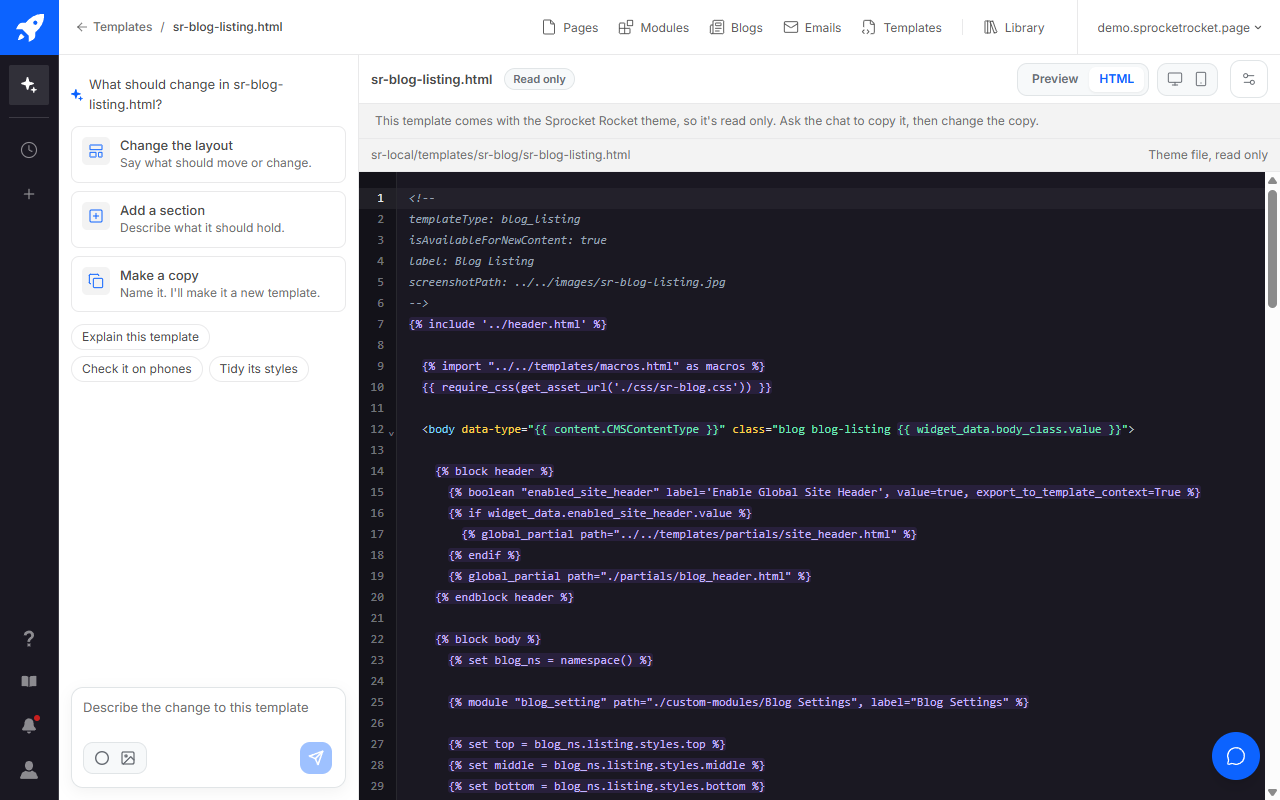
Tell the chat what you want, or edit the files yourself in the HTML tab, and the CSS and JS tabs when the template has those files. Changes stay unpublished until you select Publish changes. The live blog changes as soon as you publish, and so does any other blog using the same template. The dialog says how many. Discard changes puts the template back to its published version.
A template that came with a Sprocket Rocket theme package, or from HubSpot or a Marketplace theme, can't change here. It's marked Read only, and its code can't be edited. Ask Sprocket Rocket for a copy and change that instead.
Blog templates without a blog
Under your blogs, Blog templates lists this theme's post and listing templates, including any Sprocket Rocket blog template set you installed. Open one to see it beside the chat on Templates, even if the portal has no blog yet. A post template previews with HubSpot's sample post, and a listing template previews without posts.
Create a blog template
Select Create blog template and describe it in the chat. Sprocket Rocket writes the template with its own stylesheet. To use it, choose it for your blog in HubSpot: Settings, Website, Blog, Templates.