

Files
Review managed theme files and apply available updates.
The Files drawer shows the theme files Sprocket Rocket manages for the current installation, grouped into JSON, templates, CSS, JavaScript, and other files. Modules and templates you install have their own drawers. Use it to review versions and apply updates without opening HubSpot Design Tools.
Version is the latest version available. HubSpot version is the version on the portal. A file can show:
- Update when a newer version is available. Update all at the top updates every file that has one.
- Install when the file is missing from HubSpot.
- Revert when the file was edited in HubSpot. This restores the version the app last deployed. Only organization owners and admins can revert.
The Files item in the top navigation shows a red dot when updates are available.
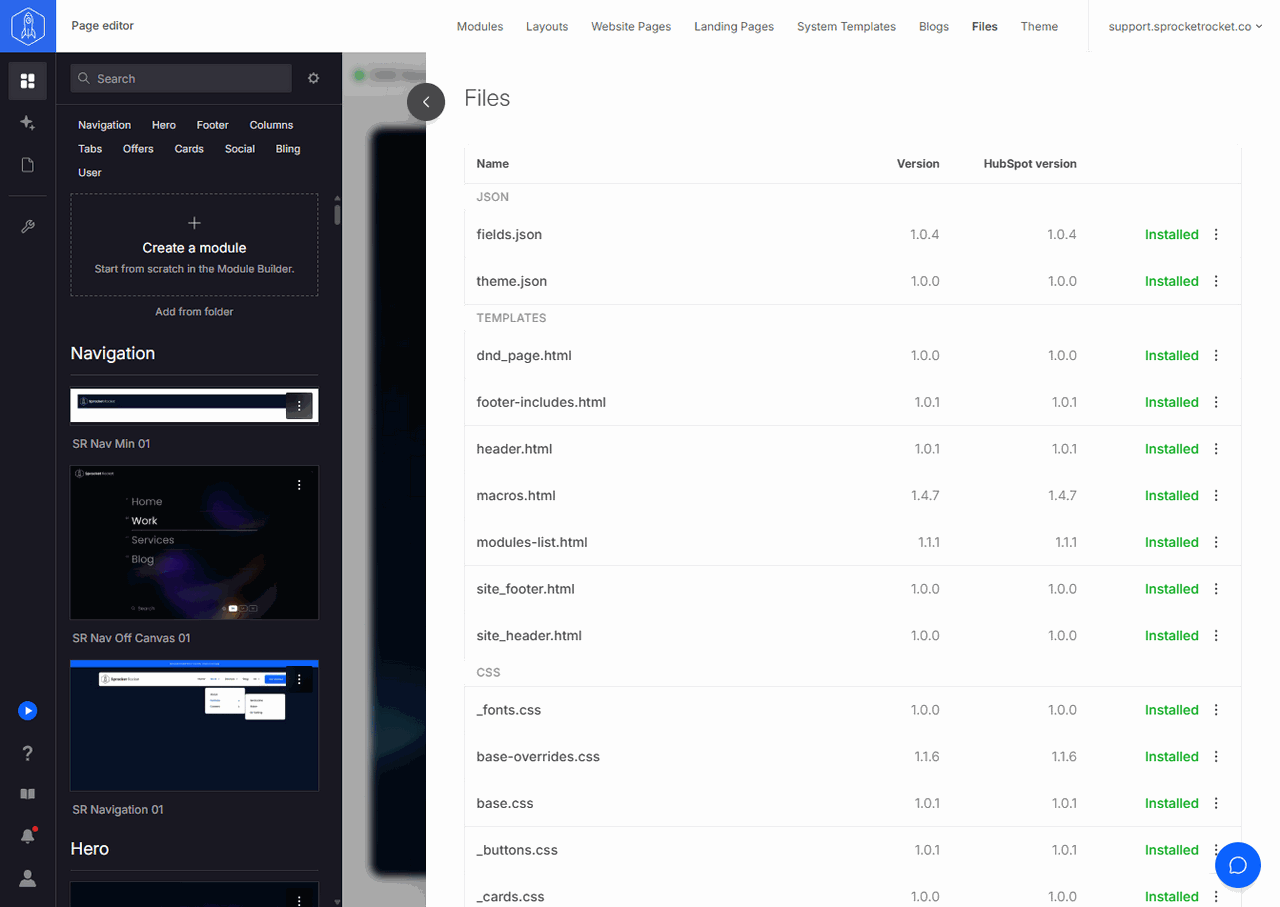
Open a file's menu for View diff, which compares the file in HubSpot with the incoming update or the installed release, and Change log, which lists the file's versions and captured backups with their notes. Owners and admins can restore the file from that list. Updating a file that was edited in HubSpot overwrites those edits, so check the diff first.
Create a manual backup and wait for it to finish before updating a customized installation. Updates do not automatically capture a fresh recovery point. Use file or module restore to recover captured work when needed.