

Create an installation
Install Sprocket Rocket into a connected HubSpot portal.
An installation is one managed copy of the Sprocket Rocket theme in a HubSpot portal. It owns its base path, installed packages, versions, pages, and backups.
For building pages in that installation, let Sprocket Rocket AI do it for you. Tell it the audience, content, sections, design, and behavior you need. It can build and refine the page and handle custom module work through cards in Page Builder chat. The setup below prepares the installation where that work runs.
If the portal already has a Marketplace theme, the app installs a separate theme because HubSpot locks the Marketplace files. It does not reuse that theme or move existing pages automatically. A detected Core or Stack purchase supplies the matching portal license. See Marketplace themes and the app for the connection and migration steps.
Child themes are neither required nor recommended for app-managed installations, including those licensed through a Marketplace purchase.
Open the portal and select Add theme. A portal with nothing installed yet shows a single Add theme card instead of the button. Sprocket Rocket is already chosen. For a standard installation, keep the default settings, including Install all modules and templates, and select Start install.
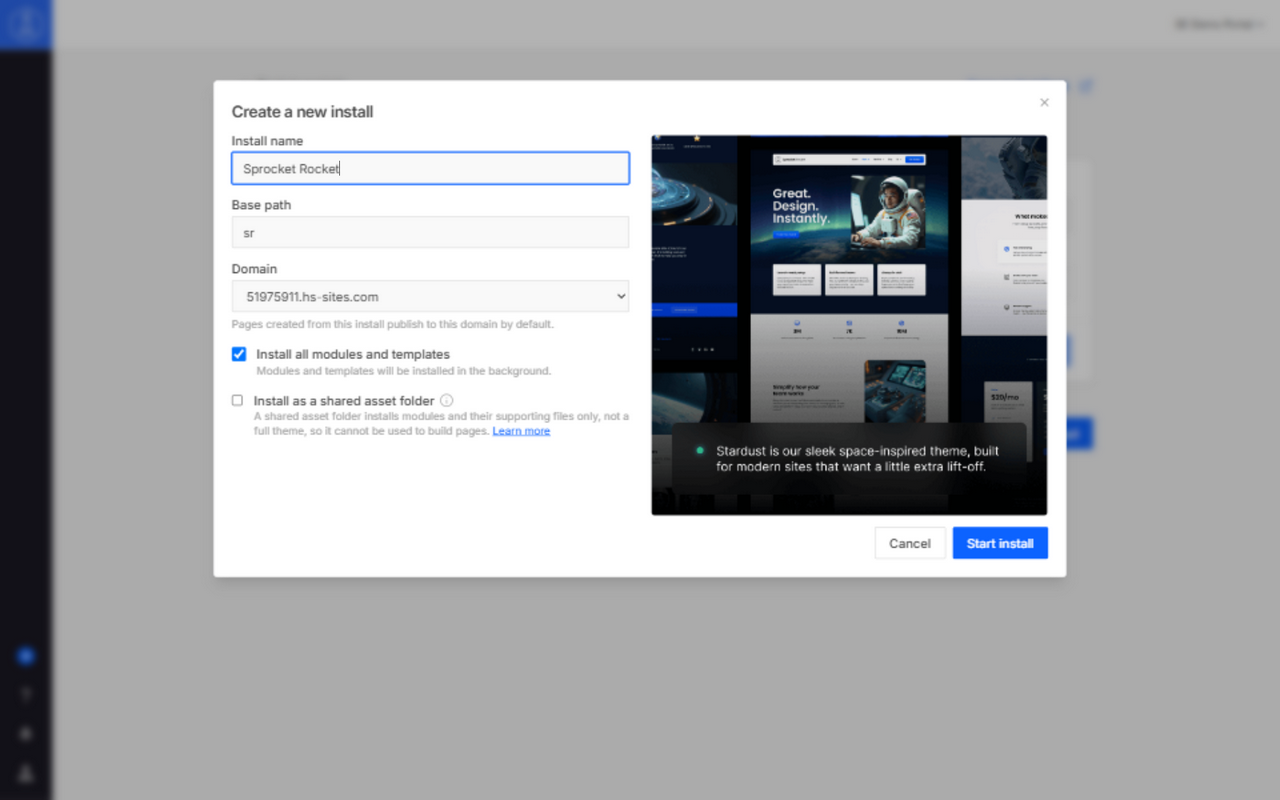
Sprocket Rocket installs the theme packages in the background and opens the new installation. You can open Page Builder while the remaining packages finish.