

HubDB tables
Read, create, and edit HubDB tables with Sprocket Rocket AI, and build modules that read them.
HubDB is HubSpot's structured content: tables of team members, locations, events, or prices that modules and dynamic pages read. Sprocket Rocket AI can work with the portal's HubDB tables from Page Builder.
What Sprocket Rocket AI can do
- List the portal's tables and read their rows.
- Create a table.
- Add, rename, or remove columns.
- Add, change, and remove rows.
- Discard a table's unpublished draft.
- Offer to publish a table, on a card you confirm.
- Build a module that reads a table.
Sprocket Rocket changes a table in place. Ask for a new column or different rows and it edits the existing table rather than creating a second one. It creates a new table only when you ask for one or nothing fits.
Drafts and publishing
Like a page, a HubDB table has a draft and a live version. Every change Sprocket Rocket makes goes to the draft. Publishing changes every page that reads the table, so Sprocket Rocket offers it as a Publish HubDB table card once your edits are done.
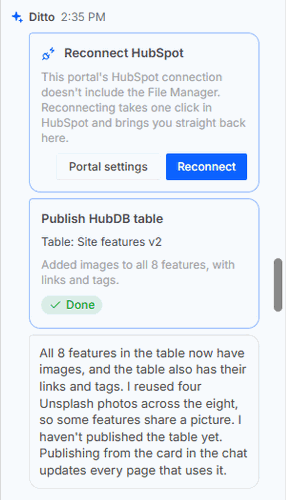
Select Publish table to take the draft live. Every page that reads the table updates as soon as it is published. Anyone who can edit pages in the installation can apply or discard the card.
The card shows Waiting for you until someone decides, Applying in HubSpot while the table is published, then Done. Not finished means HubSpot refused; the card says why, and Try again retries. Discarded means nothing was published.
Once the table is published, Sprocket Rocket picks up the work it planned for afterwards by itself, such as pointing a module at the table and filling in its heading. Its follow-up joins the chat's message queue, so you don't need to tell it the card is done.
Modules that read a table
For content that will grow or that you'll keep editing, such as features, team members, locations, FAQs, or pricing, Sprocket Rocket can put the content in a table and build a module that shows one item per row. It creates and fills the table, offers the publish card, then proposes the module on a module card. The module reads the table through a HubDB table field, so you can point it at another table later.
Requirements
HubDB needs a HubSpot plan that includes it, and the HubDB permission on the portal's connection. A portal connected without the permission isn't asked to reconnect until you use a HubDB tool. Sprocket Rocket then stops and shows a Reconnect HubSpot card instead of failing. Everything else keeps working.
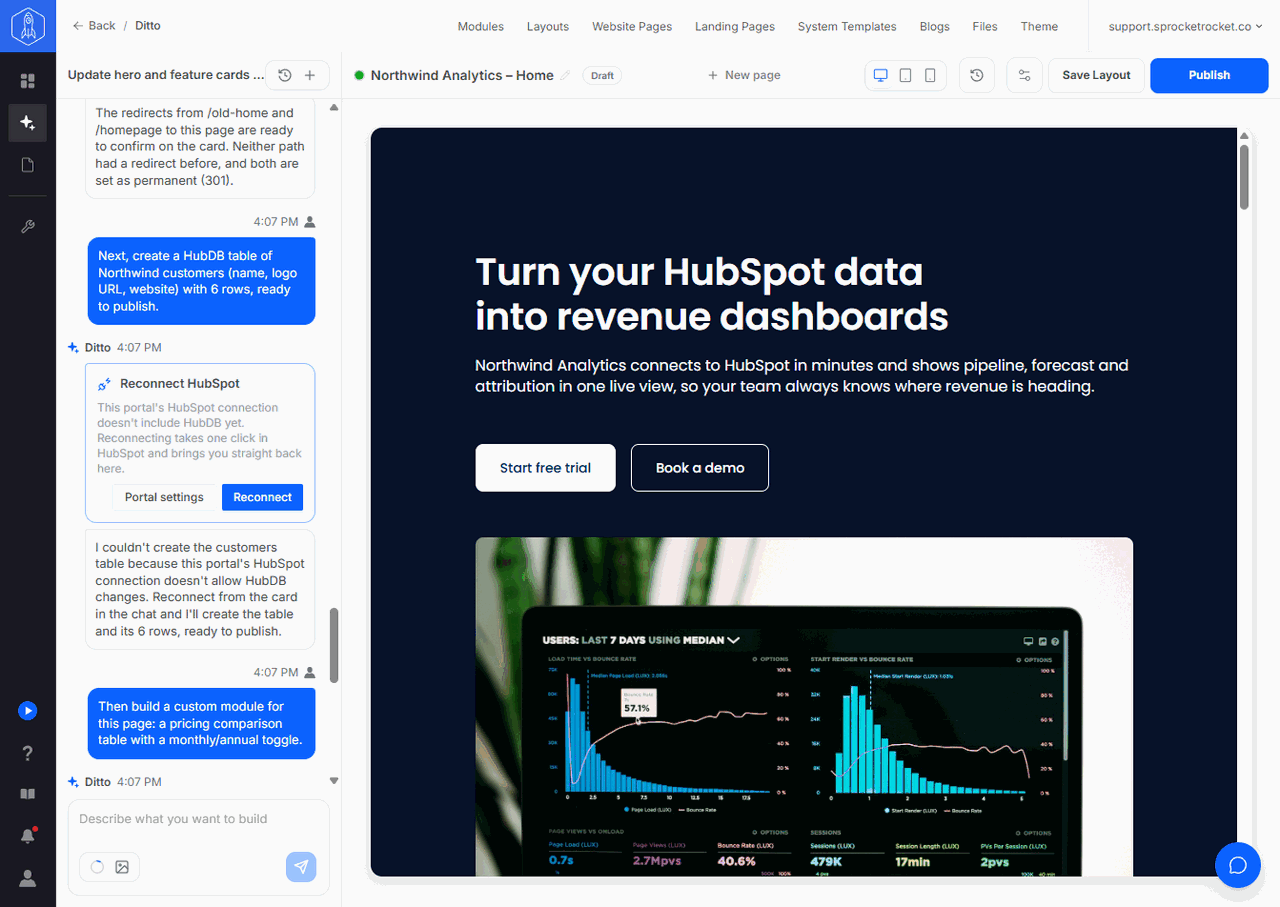
Organization owners and admins see Reconnect, which takes one click in HubSpot and brings you straight back. Leave the HubDB permission switched on when HubSpot asks. Other members see Portal settings, and an owner or admin has to reconnect the portal.
If HubSpot still leaves the permission out after a reconnect, a HubSpot Super Admin has switched it off for Sprocket Rocket across the account. Sprocket Rocket then shows a Turn on HubDB in HubSpot card with How to turn it on. Follow A permission stays off after reconnecting.