

Translations
Have Sprocket Rocket AI create a linked language version of a page and translate it.
Sprocket Rocket AI can make a page multilingual. Ask for the language, for example "translate this page into French".
Create the translation
Sprocket Rocket shows a Translation card naming the language. Select Create translation and HubSpot copies the page as that language's version and links the two, so visitors and search engines find the right one.
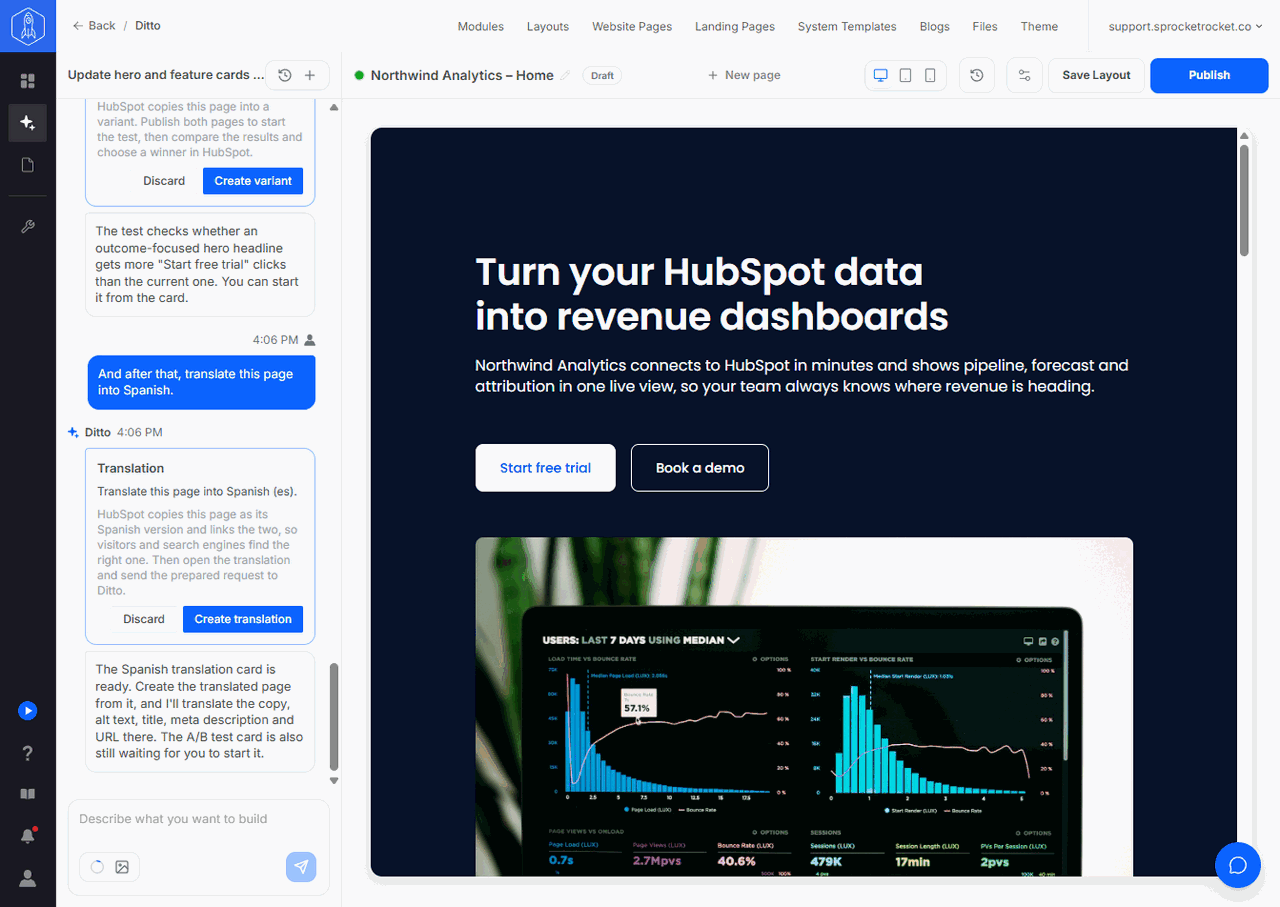
The card shows Waiting for you until someone decides, Applying in HubSpot while the copy is made, then Done. Not finished means HubSpot couldn't create the translation; the card says why, and Try again retries. Discarded means nothing was changed. Anyone who can edit pages in the installation can apply or discard the card.
Once the new page exists, Sprocket Rocket picks up the translating by itself, in a chat of its own on the new page. The card says Sprocket Rocket is translating. Select Open translation to follow along in Page Builder. If that chat couldn't be started, Open translation opens the new page with the translation request typed into the chat's composer instead; send it to start.
Sprocket Rocket translates all of the page's copy and alt text, then its title, meta description, and URL slug. It translates meaning rather than word for word, and keeps brand names, product names, and links as they are.
The translation is an ordinary chat on the new page. You can watch it work, stop it, and ask for changes the same way as on any page.
Limits
- Create translations from the original page. A page that is itself a translation can't start another one.
- Each language can be added once per page.
- If the page has no language set in HubSpot yet, the card asks you to tell Sprocket Rocket which language the page is in now.
- The global header and footer aren't translated. HubSpot keeps them per language; edit them in HubSpot.
- Multi-language pages need a HubSpot plan that allows them. On a plan without them, the card says so.