

Domains and redirects
Move a page to another domain and create URL redirects with Sprocket Rocket AI.
The portal's domains
Sprocket Rocket reads the domains connected to the HubSpot portal and knows which kind each one is:
- Primary domains: the default domain for website pages, and the default for landing pages. They can be the same domain.
- Staging domains: HubSpot's own domains, such as the one ending in
hs-sites.com. The Page URL field marks them staging. - Redirecting domains: domains that only send visitors on to another domain.
Ask "where can this page be published?" and Sprocket Rocket lists them.
Move a page to another domain
Tell Sprocket Rocket to move the page, for example "publish this on the landing pages domain". It only moves a page to a connected domain that doesn't redirect elsewhere. You can also change the domain yourself under Page URL in Page settings.
When the page is already published, moving it changes its live address. Sprocket Rocket offers a redirect from the old URL to the new one. The old URL keeps working until you publish the page at its new address.
Create redirects
Sprocket Rocket offers redirects:
- when you ask for them
- when it changes the URL or domain of a published page
- after a rebuild replaces an old site's pages, as one card that maps the old paths to the new pages
It checks the portal's existing redirects first, then shows a URL redirects card listing each old and new URL. Nothing changes until you select Create redirects.
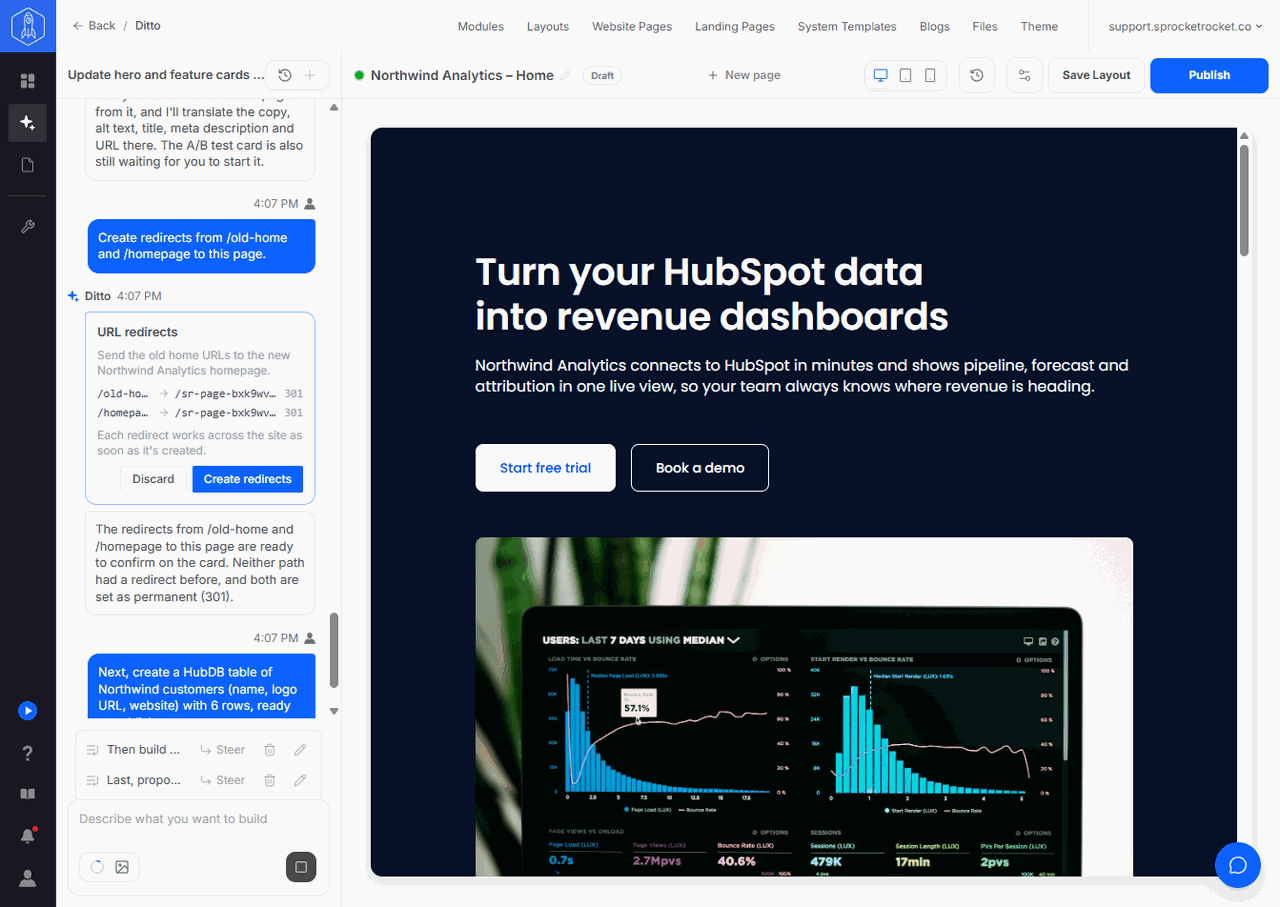
Redirects go live at once
Each redirect works across the whole site as soon as it is created, not when you publish the page. Restore points can't undo it. To remove a redirect, delete it in HubSpot.
When you apply the card, Sprocket Rocket reads the portal's redirects again before creating anything:
- A redirect that is already in place is skipped.
- An old URL that already redirects somewhere else is left alone, never overwritten. The card names it.
- A redirect that would create a loop isn't created.
The card shows where it stands: Waiting for you until someone decides, Applying in HubSpot while the redirects are created, then Done, or Discarded. If HubSpot refuses some redirects, the card shows Not finished with what was created and what wasn't. Try again creates the rest.
Once the redirects are live, Sprocket Rocket picks up any work it planned for afterwards by itself. Its follow-up joins the chat's message queue, so you don't need to tell it the card is done.
Anyone who can edit pages in the installation can apply or discard the card. URL redirects need a HubSpot plan that includes them. On a plan without them, the card says so.