

SR Tabs Split Screen 01
This module renders a split screen layout with a fixed image column on one side and up to three clickable menu tabs on the other, each tab swapping in its own heading, description text, and CTA button, plus its own background image or color and an image overlay heading.
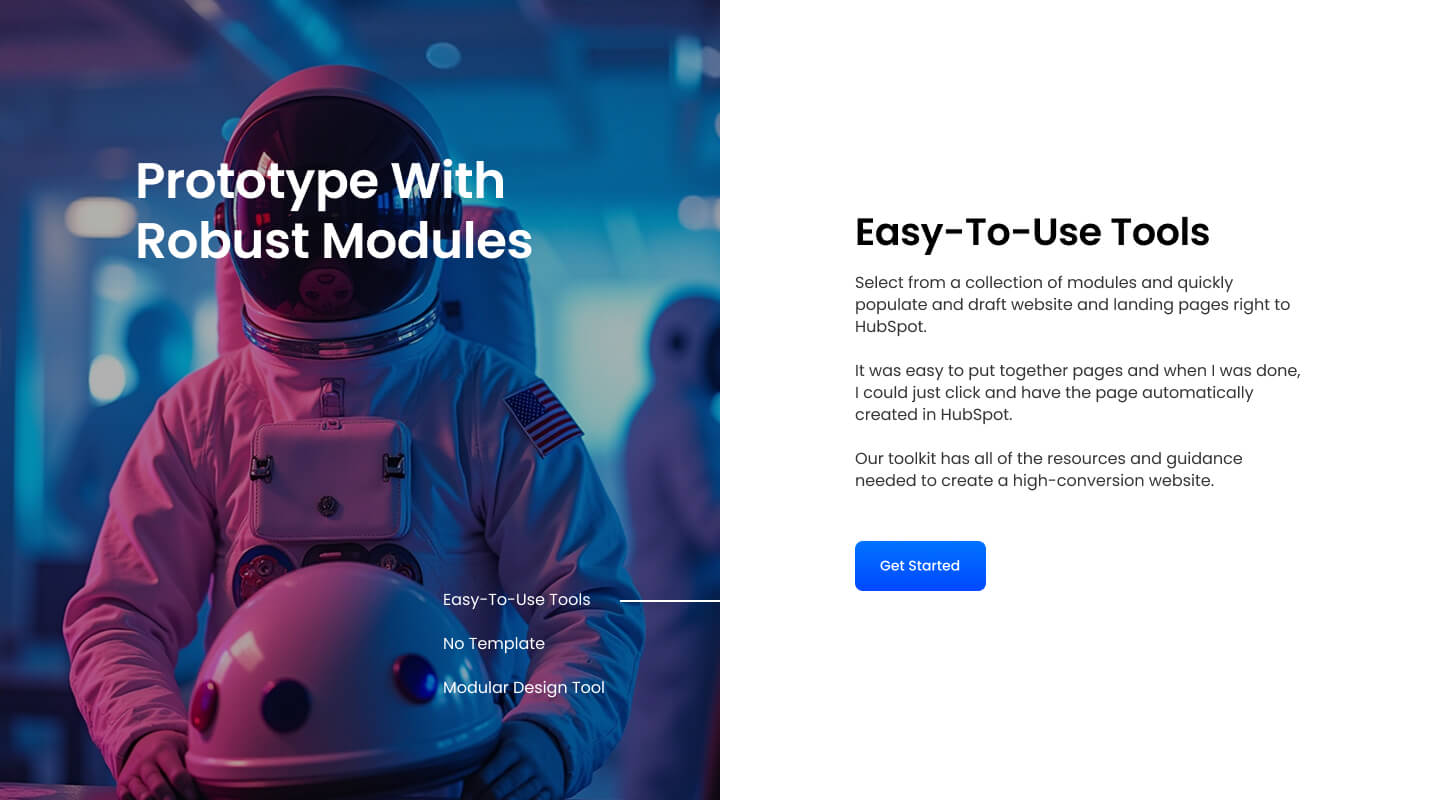
Pick it over the offer bar modules when you need several switchable topics or product angles tied to one persistent visual, rather than a single static pitch with a form or a plain CTA. Each tab needs its own heading, body copy, button, and background image or color set, since clicking a tab changes both the text panel and the image side.
Use cases
- Multiple product features with one hero image
- Tabbed benefits split screen
- Switchable use cases with visuals
- Toggle between audience segments
- Feature tour with persistent image
- Tabbed service offerings
Where it fits
- Included with: Stack
- Page sections: Features, Benefits, Content
Editable fields
Content tab
| Field | Type | Notes |
|---|---|---|
| Enabled | Boolean | |
| ID | Text | Assign a ID to the module. |
| Class | Text | Assign a CLASS to the module. |
| Column Alignment | Choice | Options: Image/Content, Content/Image. |
Tabs Repeats: default 3.
| Field | Type | Notes |
|---|---|---|
| Menu Title | Text | |
| Menu Title Color | Choice | 12 options, including Auto, Primary, Secondary. |
| Description | Rich text | |
| Lead Text | Boolean | Turn on to make the Description text larger. |
| Text Color | Choice | 14 options, including Auto, Primary, Secondary. |
| Image | Image | |
| Image Overlay | Boolean | |
| Image Overlay Color | Color |
Tabs › Styles
| Field | Type | Notes |
|---|---|---|
| Content Background Option | Choice | Options: Image, Color, Custom. |
| Content Background Image | Image | |
| Content Background Color | Choice | 12 options, including Primary, Secondary, Tertiary. |
| Content Background Color | Color |
Tabs › Heading Repeats: min 0, default 1.
| Field | Type | Notes |
|---|---|---|
| Heading | Text | |
| Size | Choice | HTML heading size. Options: H1, H2, H3, H4, H5, H6, P. |
| Display Size | Choice | Size that heading is displayed at. 12 options, including Auto, H1, H2. |
| Color | Choice | 15 options, including Auto, Primary, Secondary. |
| Color | Color | |
| Align | Choice | Options: Auto, Left, Center, Right. |
| CSS Class | Text |
Tabs › CTA Repeats: min 0, default 1.
| Field | Type | Notes |
|---|---|---|
| CTA Type | Choice | Options: HubSpot CTA, HubSpot Payment, Button, Modal. |
| CTA Style | Choice | 26 options, including Primary, Secondary, Tertiary. |
| CTA | CTA | |
| Button Text | Text | |
| Modal Target | Text | |
| Link | Link | |
| Payment link | Payment | |
| Checkout behavior | Choice | Options: Open in a new tab, Sliding overlay. |
| CTA Size | Choice | Options: Small, Default, Large. |
Tabs › CTA › Default
| Field | Type | Notes |
|---|---|---|
| Background | Color | |
| Text | Color | |
| Border | Color |
Tabs › CTA › Hover
| Field | Type | Notes |
|---|---|---|
| Background | Color | |
| Text | Color | |
| Border | Color |
Tabs › Image Heading Repeats: min 0, max 1, default 1.
| Field | Type | Notes |
|---|---|---|
| Heading | Text | |
| Size | Choice | HTML heading size. Options: H1, H2, H3, H4, H5, H6, P. |
| Display Size | Choice | Size that heading is displayed at. 12 options, including Auto, H1, H2. |
| Color | Choice | 15 options, including Auto, Primary, Secondary. |
| Color | Color | |
| Align | Choice | Options: Auto, Left, Center, Right. |
| CSS Class | Text |
Style tab
Change log
| Version | Change |
|---|---|
| 2.0.0 | Stardust update |
| 1.2.0 | Accessibility improvements |
| 1.1.0 | Updated macros style dependencies |
| 1.0.6 | Fixed the max width of the containers |
| 1.0.5 | Added new Link options |
| 1.0.4 | Minor CSS Fixes |
| 1.0.3 | Fixed the information section height bug on smaller screens |
| 1.0.2 | Added CTA custom style fields |
| 1.0.1 | Tabs responsive issues |
SR Offer Video CTA 01
This module renders a two-column layout with a heading, rich text description, and one CTA button on one side, paired with a video (embed, HTML5 file, or HubSpot video player) on the other side.
SR Cards Articles 01
Renders a heading and optional description above a carousel of blog post cards, each showing a featured image, title, author avatar and name, summary or meta text, and a Read More button.