

SR Two Col 04
This module renders a shared heading and description above a row of columns, each with its own media (image, video, embedded form, meeting scheduler, or lottie), a sub-heading, rich text, an optional icon feature list, and one CTA button.
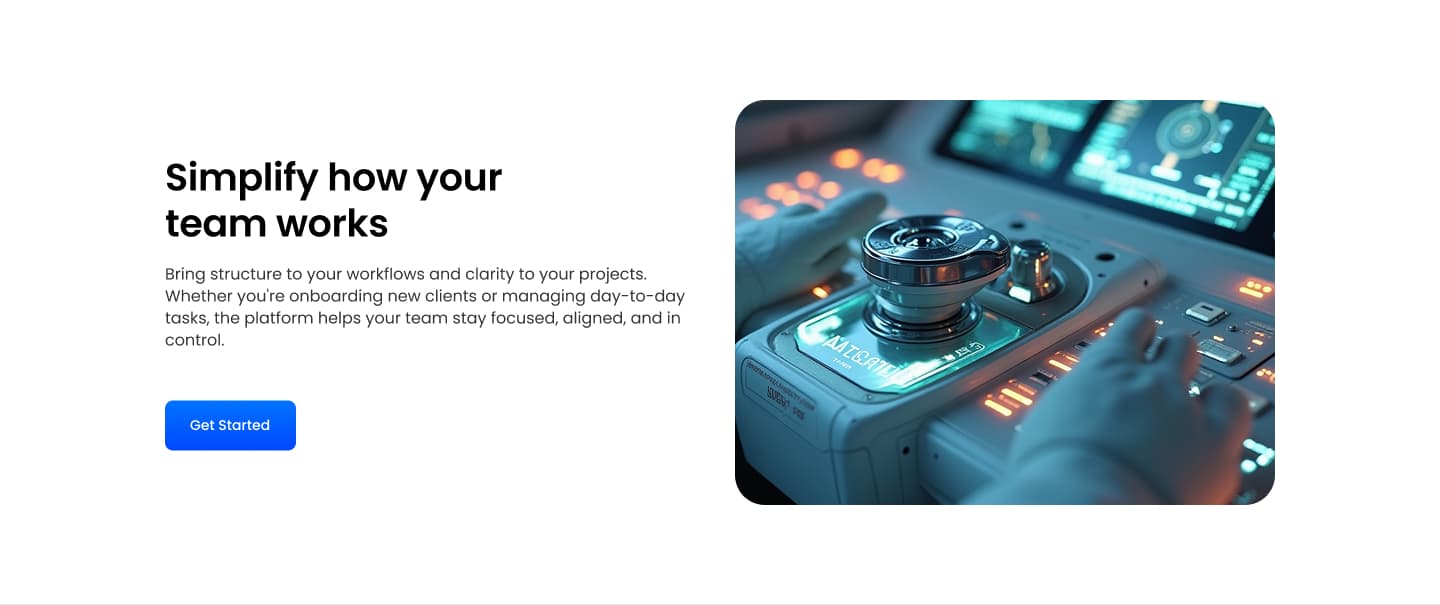
Pick it over sr-two-col-03 when the column image needs to run as a full-width banner or sit behind the text as a background overlay with a color tint, since this variant adds banner height and full-bleed image controls that the plainer sibling lacks. Provide an image sized for banner or background use if you turn on those options, otherwise the layout falls back to a normal inline media block.
Use cases
- Full-width banner image with text below
- Background photo with color overlay and copy
- Product shot as section backdrop
- Demo video next to a feature list
- Booking widget beside a banner image
Where it fits
- Included with: PRO
- Page sections: Features, Content, Media
Editable fields
Content tab
| Field | Type | Notes |
|---|---|---|
| Background Video | File | Repeats: min 0, default 1. Add multiple file formats in order to provide compatibility with a broad range of browsers. |
| Background Video Tablet | File | Repeats: min 0, default 1. This background video will only be used on tablet devices. |
| Background Video Mobile | File | Repeats: min 0, default 1. This background video will only be used on mobile devices. |
| Enabled | Boolean | |
| ID | Text | Assign a ID to the module. |
| Class | Text | Assign a CLASS to the module. |
| Description | Rich text | |
| Lead Text | Boolean | Turn on to make the Description text larger. |
| Use Image as Background | Boolean | Makes the Column's image the background. Requires media type to be IMAGE. |
| Column Vertical Align | Choice | Options: Auto, Top, Center, Bottom, Stretch. |
Heading Repeats: min 0, default 0.
| Field | Type | Notes |
|---|---|---|
| Heading | Text | |
| Size | Choice | HTML heading size. Options: H1, H2, H3, H4, H5, H6, P. |
| Display Size | Choice | Size that heading is displayed at. 12 options, including Auto, H1, H2. |
| Color | Choice | 15 options, including Auto, Primary, Secondary. |
| Color | Color | |
| Align | Choice | Options: Auto, Left, Center, Right. |
| CSS Class | Text |
Column Repeats: default 1.
| Field | Type | Notes |
|---|---|---|
| Media Type | Choice | Options: Image, Video, Form, Meeting, Lottie, None. |
| Add to Lightbox | Boolean | Enable this toggle to add this image to a lightbox pop-up. |
| Overlay Color | Color | |
| Image | Image | |
| Media Corner Radius | Number | |
| Image Link | Link | |
| Banner Image | Boolean | |
| Banner Height | Number | |
| Full Width Image | Boolean | Stretch image to full width of the column. |
| Lottie Embed Code | Text | How to add LottieFiles. |
| Meeting | Meeting | |
| Content | Rich text | |
| Lead Text | Boolean | Turn on to make the content text larger. |
| Text Align | Choice | Options: Auto, Left, Center, Right. |
| Text Color | Choice | 14 options, including Auto, Primary, Secondary. |
| Column Divider | Boolean | |
| Divider Color | Color | |
| Custom Column Size | Boolean | |
| CSS Class | Text | Assign a CLASS to the column. |
Column › Video
| Field | Type | Notes |
|---|---|---|
| Video type | Choice | Options: Embed, HTML Video, HubSpot Video. |
| HubSpot Video | Video player | |
| Embed | Embed | |
| Custom Thumbnail | Image | |
| Video File | File | Repeats: default 1. Add multiple file formats in order to provide compatibility with a broad range of browsers. |
| Video Poster | Image | |
| Show Controls | Boolean | |
| Play Button Color | Color | |
| Play Button Background Color | Color | |
| Autoplay | Boolean | |
| Loop | Boolean | |
| Muted | Boolean | |
| Video Accent | Choice | Add a design accent behind your video. Options: None, Design 1, Design 2, Design 3. |
| Video Accent Color | Choice | 11 options, including Primary, Secondary, Tertiary. |
| Custom Accent Color | Color |
Column › Video › Style Options
| Field | Type | Notes |
|---|---|---|
| Play button color | Color |
Column › Video › Placeholder text
| Field | Type | Notes |
|---|---|---|
| Video placeholder title | Text | |
| Video placeholder description | Text |
Column › Form
| Field | Type | Notes |
|---|---|---|
| Enabled | Boolean | |
| Description | Rich text | |
| Lead Text | Boolean | Turn on to make the Description text larger. |
| Form | Form | |
| Send form notifications to specified email addresses instead of the form defaults | Boolean | |
| Email Addresses | ||
| Salesforce campaign | Salesforcecampaign |
Column › Form › Styles
| Field | Type | Notes |
|---|---|---|
| Background Color | Color | |
| Text Color | Choice | Set to Auto to use the default text color. Set to Custom to set a custom text color. 15 options, including Auto, Primary, Secondary. |
| Text Color | Color | |
| Hide Field Labels | Boolean |
Column › Form › Styles › Fields
| Field | Type | Notes |
|---|---|---|
| Style | Choice | Options: Default, Custom. |
| Height | Number | |
| Background Color | Color | |
| Border Color | Color | |
| Size | Number | |
| Radius | Number | |
| Focus | Color | |
| Field Color | Color | |
| Placeholder | Color |
Column › Form › Styles › Button
| Field | Type | Notes |
|---|---|---|
| Style | Choice | 25 options, including Primary, Secondary, Tertiary. |
| Size | Choice | Options: Small, Default, Large. |
| Align | Choice | Options: Auto, Left, Center, Right. |
| Full Width | Boolean |
Column › Form › Styles › Padding
| Field | Type | Notes |
|---|---|---|
| Top | Number | |
| Bottom | Number | |
| Left | Number | |
| Right | Number |
Column › Form › Styles › Border
| Field | Type | Notes |
|---|---|---|
| Style | Choice | Options: Gradient One, Gradient Two, None, Solid, Dotted, Dashed, Double. |
| Color | Color | |
| Width | Number | |
| Radius | Number | |
| Top | Boolean | |
| Bottom | Boolean | |
| Left | Boolean | |
| Right | Boolean |
Column › Form › Styles › Shadow
| Field | Type | Notes |
|---|---|---|
| Shadow | Boolean | |
| Horizontal | Number | A positive value puts the shadow on the right side of the box, a negative value puts the shadow on the left side of the box. |
| Vertical | Number | The vertical offset of the shadow. A positive value puts the shadow below the box, a negative value puts the shadow above the box. |
| Blur | Number | The blur radius. The higher the number, the more blurred the shadow will be. |
| Spread | Number | The spread radius. A positive value increases the size of the shadow, a negative value decreases the size of the shadow. |
| Inset | Boolean | Changes the shadow to an inner shadow. |
| Color | Color | The color of the shadow. |
Column › Form › Heading Repeats: min 0, default 1.
| Field | Type | Notes |
|---|---|---|
| Heading | Text | |
| Heading Size | Choice | HTML heading size. Options: H1, H2, H3, H4, H5, H6, P. |
| Heading Display Size | Choice | Size that heading is displayed at. 12 options, including Auto, H1, H2. |
| Heading Color | Choice | 15 options, including Auto, Primary, Secondary. |
| Heading Color | Color | |
| Heading Align | Choice | Options: Auto, Left, Center, Right. |
| CSS Class | Text |
Column › Heading Repeats: min 0, default 1.
| Field | Type | Notes |
|---|---|---|
| Heading | Text | |
| Size | Choice | HTML heading size. Options: H1, H2, H3, H4, H5, H6, P. |
| Display Size | Choice | Size that heading is displayed at. 12 options, including Auto, H1, H2. |
| Color | Choice | 15 options, including Auto, Primary, Secondary. |
| Color | Color | |
| Align | Choice | Options: Auto, Left, Center, Right. |
| CSS Class | Text |
Column › Features Repeats: default 0.
| Field | Type | Notes |
|---|---|---|
| Description | Rich text | |
| Lead Text | Boolean | Turn on to make the Description text larger. |
Column › Features › Icon
| Field | Type | Notes |
|---|---|---|
| Icon Type | Choice | Options: Icon, Image, Custom, None. |
| Image | Image | |
| Icon | Icon | |
| Icon Color | Color | |
| Icon Background | Color | Set opacity to 0 to disable the background. |
| HTML | Text | |
| Icon Size | Number | |
| Purpose | Choice | The purpose of the icon, used for accessibility. If set to decorative, an additional attribute of aria-hidden="true" will be added to the icon. Options: Decorative, Semantic. |
Column › Features › Heading Repeats: default 1.
| Field | Type | Notes |
|---|---|---|
| Heading | Text | |
| Size | Choice | HTML heading size. Options: H1, H2, H3, H4, H5, H6, P. |
| Display Size | Choice | Size that heading is displayed at. 12 options, including Auto, H1, H2. |
| Color | Choice | 15 options, including Auto, Primary, Secondary. |
| Color | Color | |
| Align | Choice | Options: Auto, Left, Center, Right. |
| CSS Class | Text |
Column › CTA Repeats: min 0, default 1.
| Field | Type | Notes |
|---|---|---|
| CTA Type | Choice | Options: HubSpot CTA, HubSpot Payment, Button, Modal. |
| CTA Style | Choice | 26 options, including Primary, Secondary, Tertiary. |
| CTA | CTA | |
| Button Text | Text | |
| Modal Target | Text | |
| Link | Link | |
| Payment link | Payment | |
| Checkout behavior | Choice | Options: Open in a new tab, Sliding overlay. |
| CTA Size | Choice | Options: Small, Default, Large. |
| Add icon | Boolean |
Column › CTA › Default
| Field | Type | Notes |
|---|---|---|
| Background | Color | |
| Text | Color | |
| Border | Color |
Column › CTA › Hover
| Field | Type | Notes |
|---|---|---|
| Background | Color | |
| Text | Color | |
| Border Color | Color |
Column › CTA › Icon
| Field | Type | Notes |
|---|---|---|
| Icon | Icon | |
| Position | Choice | Options: Left, Right. |
| Purpose | Choice | The purpose of the icon, used for accessibility. If set to decorative, an additional attribute of aria-hidden="true" will be added to the icon. Options: Decorative, Semantic. |
Column › Column Size Repeats: min 1, max 4, default 1. Columns follow a twelve column grid.
| Field | Type | Notes |
|---|---|---|
| Column Breakpoint | Choice | Options: None, Mobile, Tablet, Desktop, XL. |
| Column Width | Choice | 12 options, including 1, 2, 3. |
| Column Offset | Choice | 13 options, including 0, 1, 2. |
| Column Order | Number |
Style tab
Change log
| Version | Change |
|---|---|
| 8.0.4 | Synced current Stardust module source |
| 8.0.3 | Fixed form embed version |
| 8.0.2 | Fixed custom color field visibility |
| 8.0.1 | Fixed column text color bug |
| 8.0.0 | Stardust update |
| 7.4.0 | Added features section |
| 7.3.4 | Deprecated ability to set custom button styles |
| 7.3.3 | Added ability to set custom button styles |
| 7.3.2 | Added ability to use new HS form |
| 7.3.1 | Column breakpoint fix |
| 7.3.0 | Accessibility improvements |
| 7.2.1 | Updated lottie js |
| 7.2.0 | Added responsive background options |
| 7.1.0 | Introduced a lazy loading feature for forms |
| 7.0.1 | Added new Link options |
| 7.0.0 | Added columns styles, Added form media option, Removed jQuery dependencies |
| 6.0.2 | Removed column image link when image is used as background |
| 6.0.1 | Fixed video playing issues when design 2 is selected |
SR Two Col 03
Renders an optional shared heading and description above a row of columns, where each column carries its own media block (image, video, embedded form, meeting scheduler, or lottie), a sub-heading, rich text, an optional icon feature list, and a single CTA button.
SR Two Col 05
This module places a heading and an optional bleed image in the left column, with a separate richtext description in the right column.