

SR One Col Features 01
This module renders a single-column intro heading and description followed by a stacked list of up to 6 feature cards, each with an image, its own subheading, description, and optional link, all in one full-width column rather than a grid of side-by-side columns.
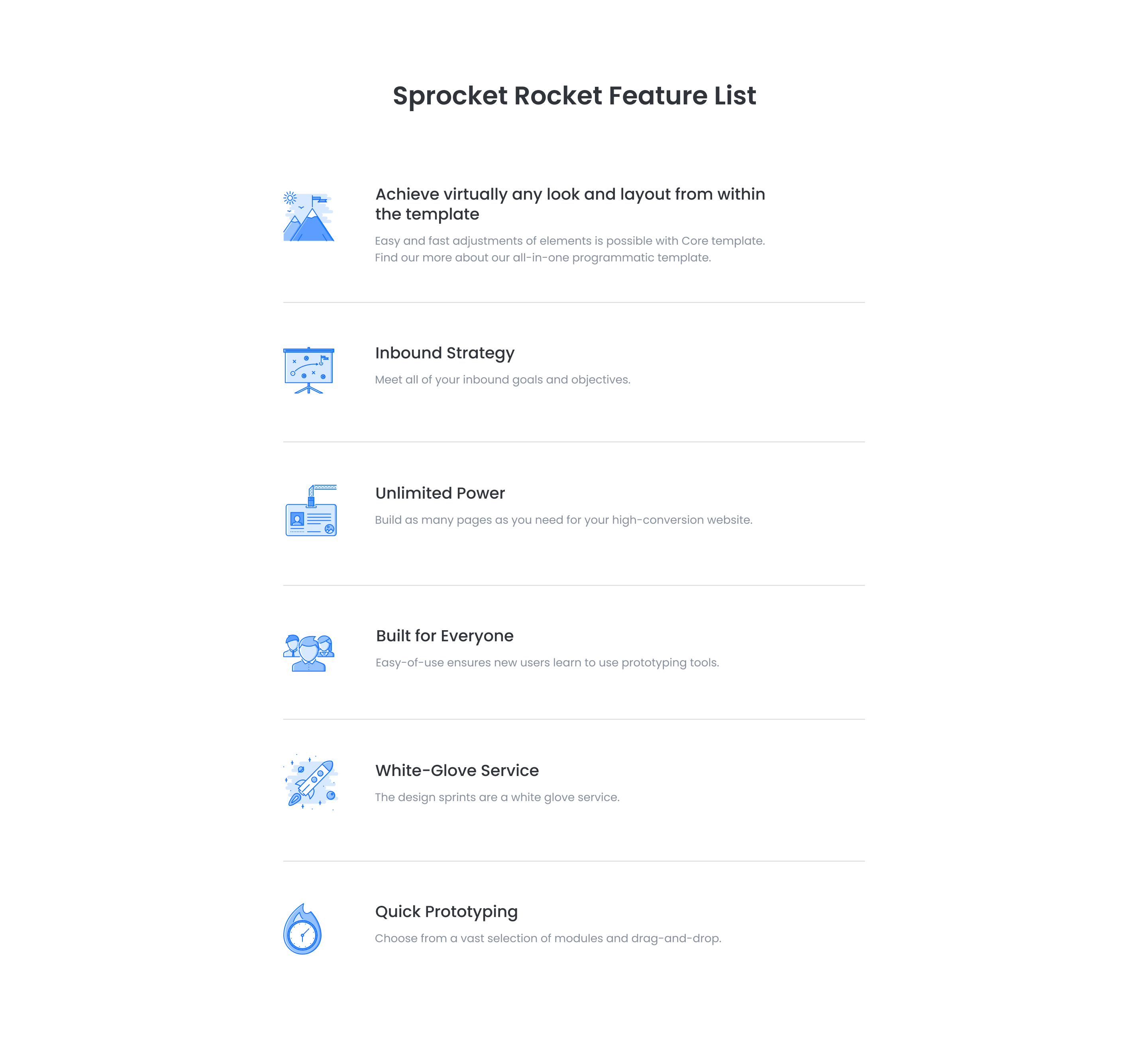
Pick it over sr-three-col-features-01 or sr-five-col-01 when you want a vertical list of feature entries with images that reads top to bottom instead of arranged across multiple columns, useful for longer descriptions per feature. Each feature entry works best with a supplied image, and links on cards are optional.
Use cases
- Stacked feature list with images
- Vertical product feature breakdown
- Single column list of app capabilities
- Long-form feature descriptions with icons
- Itemized product details for scrolling pages
Where it fits
- Included with: PRO
- Page sections: Features, Content, Benefits
Editable fields
Content tab
| Field | Type | Notes |
|---|---|---|
| Background Video | File | Repeats: min 0, default 1. Add multiple file formats in order to provide compatibility with a broad range of browsers. |
| Background Video Tablet | File | Repeats: min 0, default 1. This background video will only be used on tablet devices. |
| Background Video Mobile | File | Repeats: min 0, default 1. This background video will only be used on mobile devices. |
| Enabled | Boolean | |
| ID | Text | Assign a ID to the module. |
| Class | Text | Assign a CLASS to the module. |
| Description | Rich text | |
| Lead Text | Boolean | Turn on to make the Description text larger. |
Heading Repeats: min 0, default 1.
| Field | Type | Notes |
|---|---|---|
| Heading | Text | |
| Size | Choice | HTML heading size. Options: H1, H2, H3, H4, H5, H6, P. |
| Display Size | Choice | Size that heading is displayed at. 12 options, including Auto, H1, H2. |
| Color | Choice | 15 options, including Auto, Primary, Secondary. |
| Color | Color | |
| Align | Choice | Options: Auto, Left, Center, Right. |
| CSS Class | Text |
Features Repeats: min 1, default 6.
| Field | Type | Notes |
|---|---|---|
| Feature Image | Image | Recommended size: 120x120px. |
| Feature Description | Rich text | |
| Lead Text | Boolean | Turn on to make the Description text larger. |
| Feature Link | Link |
Features › Feature Heading Repeats: min 0, default 1.
| Field | Type | Notes |
|---|---|---|
| Feature Heading | Text | |
| Feature Heading Size | Choice | HTML heading size. Options: H1, H2, H3, H4, H5, H6, P. |
| Feature Heading Display Size | Choice | Size that heading is displayed at. 12 options, including Auto, H1, H2. |
| Feature Heading Color | Choice | 15 options, including Auto, Primary, Secondary. |
| Feature Heading Color | Color | |
| Feature Heading Align | Choice | Options: Auto, Left, Center, Right. |
| CSS Class | Text |
Style tab
Change log
| Version | Change |
|---|---|
| 2.2.1 | Fixed link hover styles |
| 2.2.0 | Accessibility improvements |
| 2.1.0 | Added responsive background options |
| 2.0.1 | Added new Link options |
SR One Col 02
Renders a single centered card with an optional icon, one heading, a rich text description with an optional lead-text style, and one call-to-action button or link.
SR One Col Media 01
Renders a single flexible column with a top heading and description, paired with one media block (video, image, form, meeting scheduler, or lottie), plus a subheading, rich text, a repeater of icon feature blocks, and a repeater of CTA buttons within that column.