

SR Tabs 01
This module renders an optional heading and description above a row of up to 4 button-style tab triggers, with a content panel below that swaps rich text when a tab is clicked.
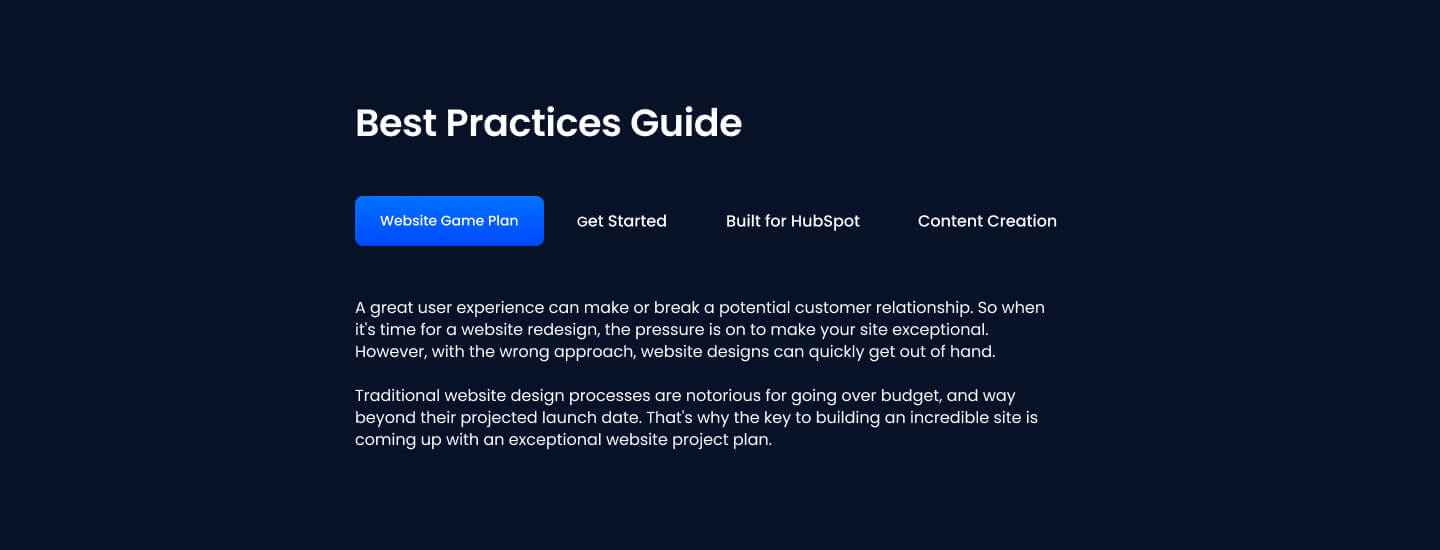
Pick it over SR Tabs 02 when tabs only need plain text content, such as FAQ answers or feature descriptions, with strong style control over active versus inactive tab button states rather than media-driven layouts. It expects text content per tab and works well when no images or videos are needed to make each tab feel complete.
Use cases
- Text-only faq tabs
- Feature comparison by category
- Process steps in tab form
- Service descriptions by type
- Plan details toggle
- Policy or terms sections by topic
Where it fits
- Included with: Stack
- Page sections: FAQ, Features, Content
Editable fields
Content tab
| Field | Type | Notes |
|---|---|---|
| Background Video | File | Repeats: min 0, default 1. Add multiple file formats in order to provide compatibility with a broad range of browsers. |
| Background Video Tablet | File | Repeats: min 0, default 1. This background video will only be used on tablet devices. |
| Background Video Mobile | File | Repeats: min 0, default 1. This background video will only be used on mobile devices. |
| Enabled | Boolean | |
| ID | Text | Assign a ID to the module. |
| Class | Text | Assign a CLASS to the module. |
| Description | Rich text | |
| Lead Text | Boolean | Turn on to make the Description text larger. |
| Tab Style | Choice | 26 options, including Primary, Secondary, Tertiary. |
| Active Tab Style | Choice | 25 options, including Primary, Secondary, Tertiary. |
| Tabs Horizontal Alignment | Choice | Options: Left, Center, Right, Space Between, Space Around. |
Heading Repeats: min 0, default 1.
| Field | Type | Notes |
|---|---|---|
| Heading | Text | |
| Size | Choice | HTML heading size. Options: H1, H2, H3, H4, H5, H6, P. |
| Display Size | Choice | Size that heading is displayed at. 12 options, including Auto, H1, H2. |
| Color | Choice | 15 options, including Auto, Primary, Secondary. |
| Color | Color | |
| Align | Choice | Options: Auto, Left, Center, Right. |
| CSS Class | Text |
Tabs Repeats: min 1, default 4.
| Field | Type | Notes |
|---|---|---|
| Tab Label | Text | |
| Tab Content | Rich text |
Tab Style
| Field | Type | Notes |
|---|---|---|
| Background Color | Color | |
| Text Color | Color | |
| Border Color | Color |
Style tab
Change log
| Version | Change |
|---|---|
| 5.0.1 | Bug fixes |
| 5.0.0 | Stardust update |
| 4.2.0 | Accessibility improvements |
| 4.1.0 | Added responsive background options |
| 4.0.2 | Bug fixes |
| 4.0.1 | Added color fields for tabs active state |
SR Locations 02
This module renders a heading, description text, and a static map image with up to five manually placed points positioned by x and y coordinates, each point opening a tooltip with its own image, heading, and rich text content.
SR Tabs 02
This module renders a heading, optional description, and a card containing up to five tabs, where each tab reveals one or two side-by-side columns of image, video, or lottie media paired with a heading, rich text, and CTAs.