

SR Locations 01
This module renders a heading, optional description, and a world map background with clickable dots pulled from a HubDB table, one dot per row.
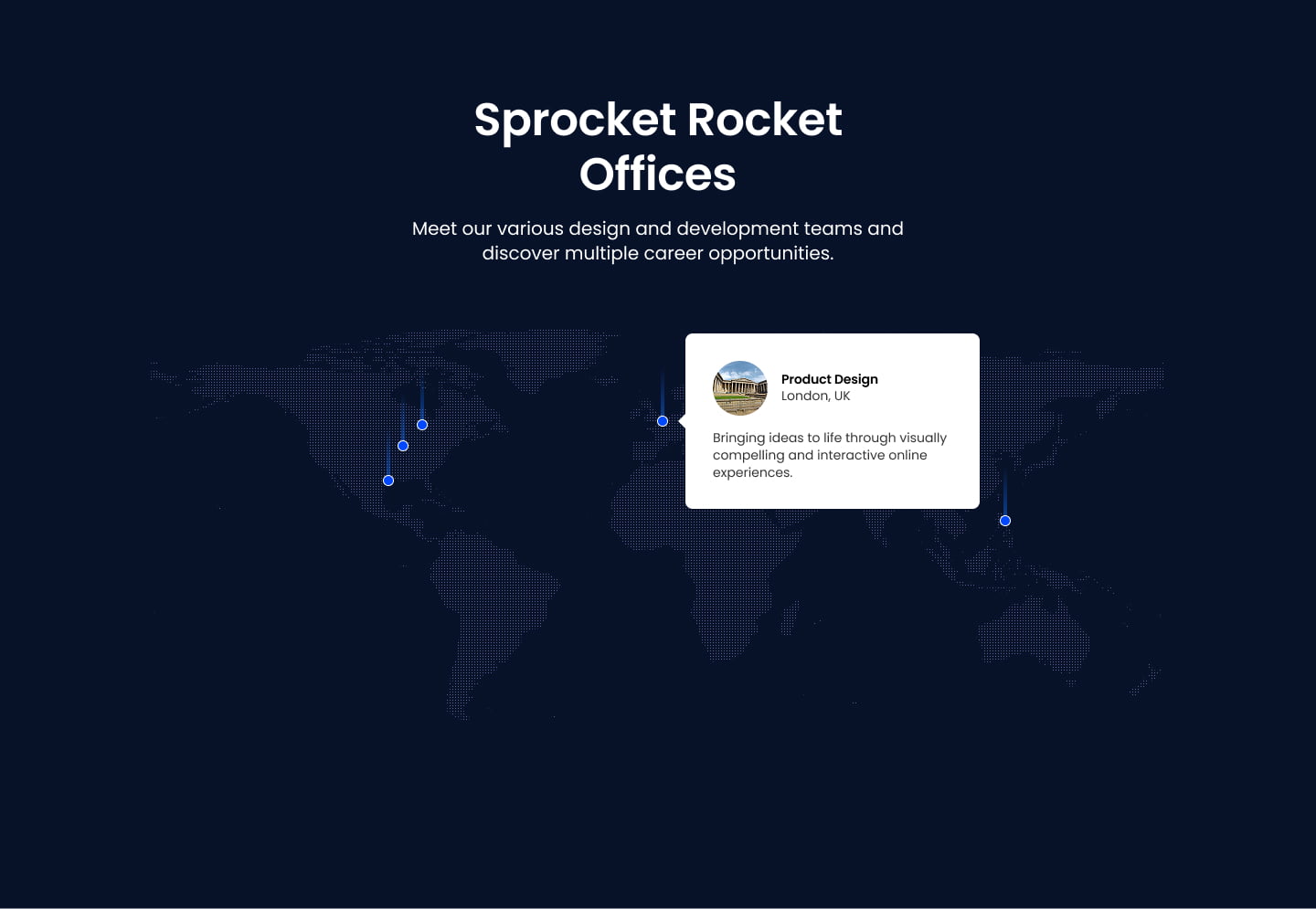
Clicking a dot opens a card with that location's image, name, address, description, and optional CTA button, all positioned by lat/lon coordinates on a fixed world map graphic. Pick this over SR Locations 02 when you have many locations managed in a HubDB table rather than a handful of manually configured points, and make sure every row in the linked table has lat/lon coordinates set.
Use cases
- Global offices map
- Partner network locations
- Store locator map
- Regional presence overview
- Company footprint visualization
Where it fits
- Included with: PRO
- Page sections: Content, Media, Proof
Editable fields
Content tab
| Field | Type | Notes |
|---|---|---|
| Background Video | File | Repeats: min 0, default 1. Add multiple file formats in order to provide compatibility with a broad range of browsers. |
| Background Video Tablet | File | Repeats: min 0, default 1. This background video will only be used on tablet devices. |
| Background Video Mobile | File | Repeats: min 0, default 1. This background video will only be used on mobile devices. |
| Enabled | Boolean | |
| ID | Text | Assign a ID to the module. |
| Class | Text | Assign a CLASS to the module. |
| HubDB table | HubDB table | |
| Description | Rich text | |
| Lead Text | Boolean | Turn on to make the Description text larger. |
Heading Repeats: min 0, default 1.
| Field | Type | Notes |
|---|---|---|
| Heading | Text | |
| Heading Size | Choice | HTML heading size. Options: H1, H2, H3, H4, H5, H6. |
| Heading Display Size | Choice | Size that heading is displayed at. 11 options, including Auto, H1, H2. |
| Heading Color | Choice | 15 options, including Auto, Primary, Secondary. |
| Heading Color | Color | |
| Heading Align | Choice | Options: Auto, Left, Center, Right. |
Style tab
Change log
| Version | Change |
|---|---|
| 2.0.0 | Stardust update |
| 1.2.0 | Accessibility improvements |
| 1.1.0 | Added responsive background options |
SR Job Listing 01
This module renders a heading above a repeatable list of job listing cards, each showing a title, category, and location with an Apply Now button that opens a modal containing a job heading, richtext job description, and either a direct application link or a close action.
SR Locations 02
This module renders a heading, description text, and a static map image with up to five manually placed points positioned by x and y coordinates, each point opening a tooltip with its own image, heading, and rich text content.