

SR Contact 01
This module renders a two-column contact block with a map on one side and a text card on the other, the map shown as a static image, an embed code, or a live Google Map with latitude, longitude, zoom and marker controls, and the text card holding a heading, rich text description, and an optional row of CTA buttons.
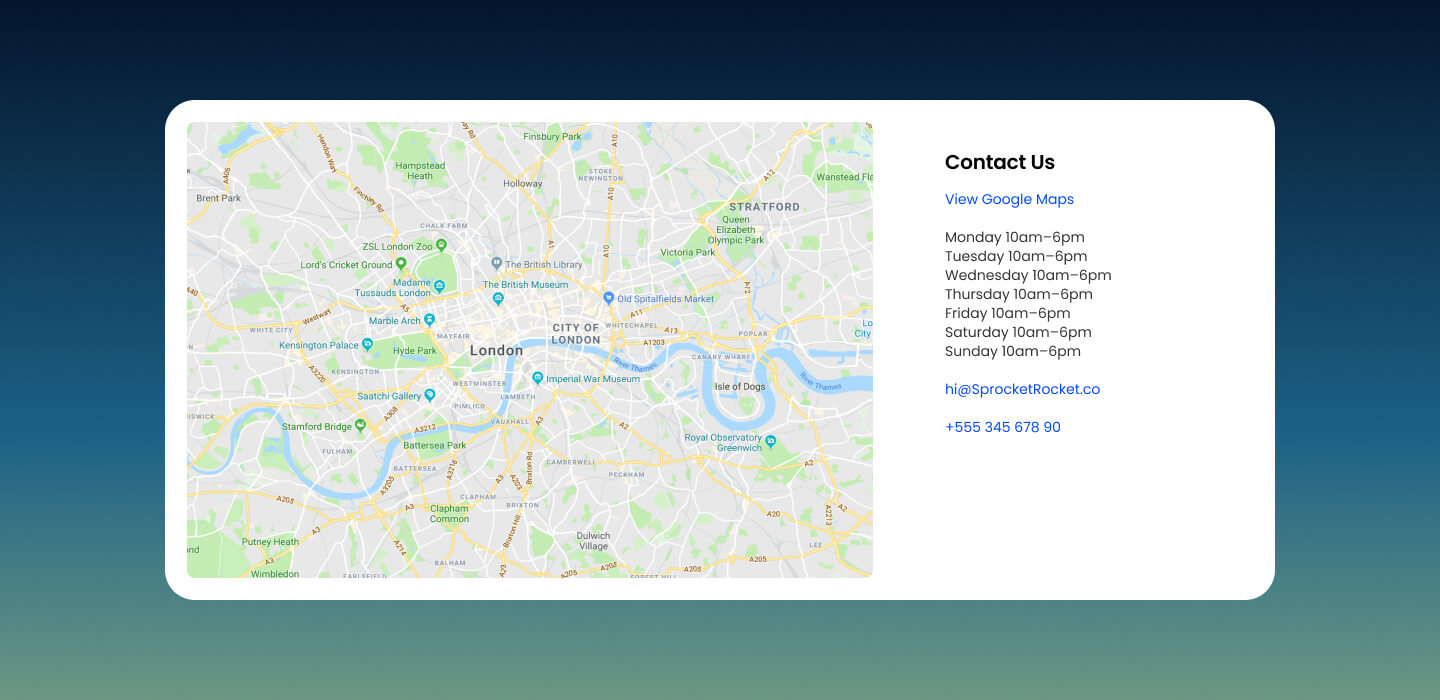
Pick it over the bling and clients modules when the section needs to show a physical location or office address rather than a logo strip, single image, or slider. It expects a map image, embed code, or Google Maps API key depending on the chosen map type, and works best when you also have address or directions copy for the text card.
Use cases
- Office location map
- Store address with directions button
- Contact us section with map
- Find our showroom
- Get in touch with map and cta
- Branch locations page block
Where it fits
- Included with: Free
- Page sections: Contact, CTA, Content
Editable fields
Content tab
| Field | Type | Notes |
|---|---|---|
| Background Video | File | Repeats: min 0, default 1. Add multiple file formats in order to provide compatibility with a broad range of browsers. |
| Background Video Tablet | File | Repeats: min 0, default 1. This background video will only be used on tablet devices. |
| Background Video Mobile | File | Repeats: min 0, default 1. This background video will only be used on mobile devices. |
| Enabled | Boolean | |
| ID | Text | Assign a ID to the module. |
| Class | Text | Assign a CLASS to the module. |
| Description | Rich text | |
| Lead Text | Boolean | Turn on to make the Description text larger. |
| Map Type | Choice | Options: Image, Embed, API. |
| Map Image | Image | |
| Map Min Height | Number | |
| API Key | Text | To use the Maps API, you must get a Google API key which you can add to your app. Watch Video. |
| Latitude | Text | |
| Longitude | Text | |
| Map Marker | Boolean | |
| Map Theme | Choice | 9 options, including Default, Blue, Red. |
| Map Zoom | Choice | 20 options, including 1, 2, 3. |
| Embed | Text |
Heading Repeats: min 0, default 1.
| Field | Type | Notes |
|---|---|---|
| Heading | Text | |
| Size | Choice | HTML heading size. Options: H1, H2, H3, H4, H5, H6, P. |
| Display Size | Choice | Size that heading is displayed at. 12 options, including Auto, H1, H2. |
| Color | Choice | 15 options, including Auto, Primary, Secondary. |
| Color | Color | |
| Align | Choice | Options: Auto, Left, Center, Right. |
| CSS Class | Text |
CTA Repeats: min 0, default 0.
| Field | Type | Notes |
|---|---|---|
| CTA Type | Choice | Options: HubSpot CTA, HubSpot Payment, Button, Modal. |
| CTA Style | Choice | 26 options, including Primary, Secondary, Tertiary. |
| CTA | CTA | |
| Button Text | Text | |
| Modal Target | Text | |
| Link | Link | |
| Payment link | Payment | |
| Checkout behavior | Choice | Options: Open in a new tab, Sliding overlay. |
| CTA Size | Choice | Options: Small, Default, Large. |
| Add icon | Boolean |
CTA › Default
| Field | Type | Notes |
|---|---|---|
| Background | Color | |
| Text | Color | |
| Border | Color |
CTA › Hover
| Field | Type | Notes |
|---|---|---|
| Background | Color | |
| Text | Color | |
| Border Color | Color |
CTA › Icon
| Field | Type | Notes |
|---|---|---|
| Icon | Icon | |
| Position | Choice | Options: Left, Right. |
| Purpose | Choice | The purpose of the icon, used for accessibility. If set to decorative, an additional attribute of aria-hidden="true" will be added to the icon. Options: Decorative, Semantic. |
Style tab
Change log
| Version | Change |
|---|---|
| 4.0.0 | Stardust update |
| 3.2.1 | Minor fixes to embed container |
| 3.2.0 | Accessibility improvements |
| 3.1.0 | Added responsive background options |
| 3.0.2 | Fixed height of contact info section on mobile |
| 3.0.1 | Added new Link options |
| 3.0.0 | Added card styles |
| 2.0.1 | Fixed the id of the map container making the module to be used more than once on a single page |
SR Clients Carousel 01
This module renders a heading, optional rich text description, and up to five client or partner logos, each with an optional link, shown either as a static wrapped row or a carousel with dots, autoplay, and autoscroll.
SR Element Accordion
This module renders a vertical stack of up to six collapsible rows, each with a heading and rich text description, plus optional lead-text styling or expanded-by-default state.