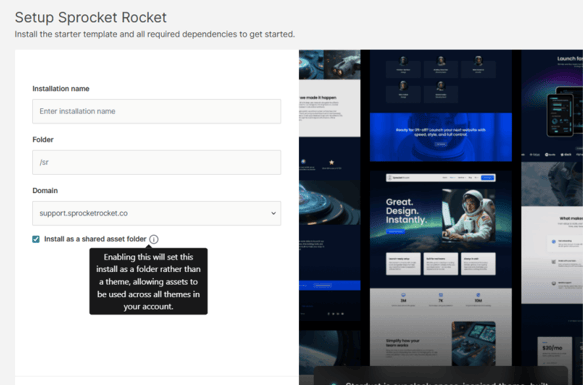
When creating a new installation or custom installation, you will see the “Setup Sprocket Rocket” prompt.
This setup screen includes the option to install assets as a Shared Asset Folder.
Overview
The Shared Asset Folder option allows you to install Sprocket Rocket assets as a global folder in your HubSpot portal instead of installing them within a specific theme.
When enabled, the assets become reusable across all themes in your HubSpot account.
Once installed, these assets become reusable across all themes in your HubSpot account — making them ideal for shared modules, scripts, or utilities that need to be accessible regardless of which theme is active.
How It Works
During installation, you will see an option labelled:
Install as a global asset folder
When enabled, this installs the package as a shared folder in Design Manager, making its assets available across multiple themes within your HubSpot account.
A common use case is purchasing à la carte modules or installing shared utilities that should not be tied to any single theme.