

ModulesSocial
SR Social Tweet 01
This module renders a single card with a heading, a rich text quote or message meant to be shared, and a row of up to 4 social icon links.
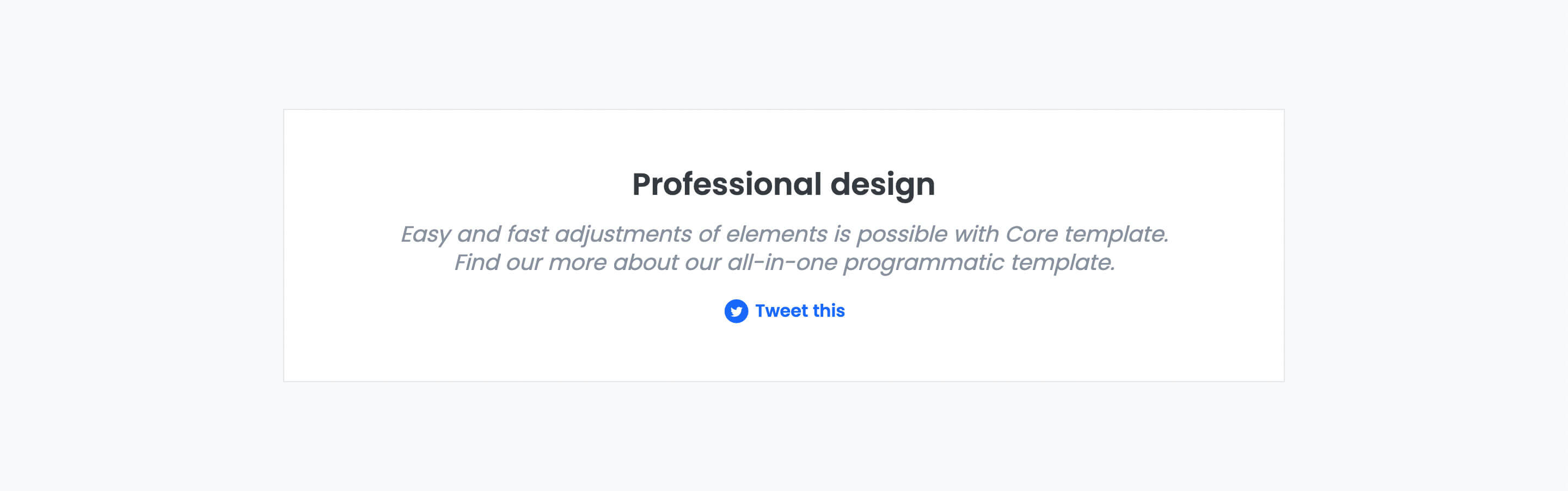
There are no sibling modules in this category, so pick it whenever the goal is to highlight one shareable statement backed by social links rather than a form, testimonials list, or feed. Content should be a short punchy quote or stat plus working social links; it does not pull live tweets or post to any platform, the icons are just static links.
Use cases
- Shareable quote callout
- Social follow prompt with quote
- Click to tweet block
- Highlight stat with social links
- Call to action for social sharing
Where it fits
- Included with: PRO
- Page sections: Cta, Content, Proof
Editable fields
Content tab
| Field | Type | Notes |
|---|---|---|
| Background Video | File | Repeats: min 0, default 1. Add multiple file formats in order to provide compatibility with a broad range of browsers. |
| Background Video Tablet | File | Repeats: min 0, default 1. This background video will only be used on tablet devices. |
| Background Video Mobile | File | Repeats: min 0, default 1. This background video will only be used on mobile devices. |
| Enabled | Boolean | |
| ID | Text | Assign a ID to the module. |
| Class | Text | Assign a CLASS to the module. |
| Tweet | Rich text | |
| Lead Text | Boolean | Turn on to make the Tweet text larger. |
Heading Repeats: min 0, default 1.
| Field | Type | Notes |
|---|---|---|
| Heading | Text | |
| Size | Choice | HTML heading size. Options: H1, H2, H3, H4, H5, H6, P. |
| Display Size | Choice | Size that heading is displayed at. 12 options, including Auto, H1, H2. |
| Color | Choice | 15 options, including Auto, Primary, Secondary. |
| Color | Color | |
| Align | Choice | Options: Auto, Left, Center, Right. |
| CSS Class | Text |
Social Icons Repeats: default 4.
| Field | Type | Notes |
|---|---|---|
| Type | Choice | Options: Icon, Image, SVG. |
| Icon | Icon | |
| Image | Image | |
| SVG | Text | Paste your SVG code below. |
| Size | Number | |
| Color | Color | |
| Background | Color | Set opacity to 0 to disable the background. |
| Link | Link | |
| Aria Label | Text | |
| Purpose | Choice | The purpose of the icon, used for accessibility. If set to decorative, an additional attribute of aria-hidden="true" will be added to the icon. Options: Decorative, Semantic. |
Style tab
Change log
| Version | Change |
|---|---|
| 3.3.1 | Minor fixes |
| 3.3.0 | Accessibility improvements |
| 3.2.0 | Added responsive background options |
| 3.1.0 | Added card styles |